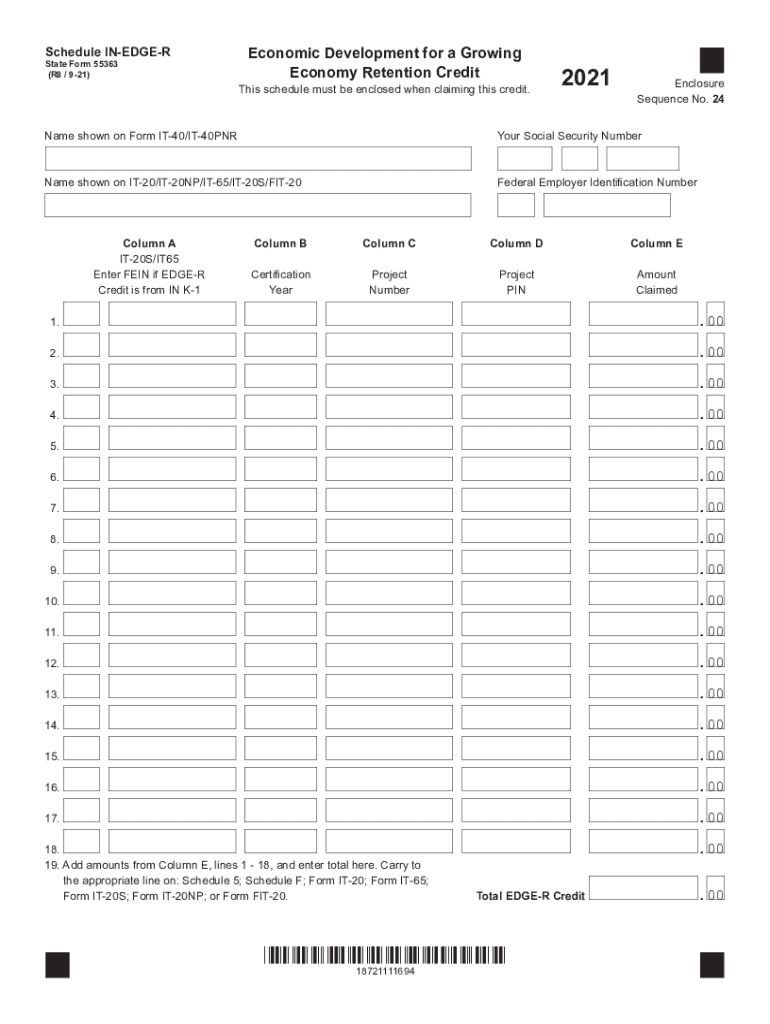
Schedule INEDGER State Form 55363 (R8 / 921)Economic Development for a Growing Economy Retention CreditThis schedule must be enclosed when claiming this credit.2021Enclosure Sequence No. 24Name shown.

Open form follow the instructions

Easily sign the form with your finger

Send filled & signed form or save
How to fill out the Schedule IN-EDGE-R form online
Filling out the Schedule IN-EDGE-R form for the Economic Development for a Growing Economy Retention Credit can seem daunting. This guide will help you understand each section of the form to ensure you complete it accurately and successfully.
Follow the steps to effectively complete the Schedule IN-EDGE-R form
- Press the ‘Get Form’ button to access the Schedule IN-EDGE-R form and open it in your preferred online editor.
- Provide the name shown on Form IT-40/IT-40PNR where indicated. This identifies the claimant of the EDGE-R credit.
- Enter your Social Security number in the designated field to further authenticate your identity.
- Input the name as displayed on either IT-20/IT-20NP/IT-65/IT-20S/FIT-20 to ensure all records align.
- Enter your Federal Employer Identification Number in Column A if claiming the credit from IN K-1; if not applicable, leave this column blank.
- In Column B, specify the tax year for which the credit is certified, as referenced in the certification letter from the Indiana Economic Development Corporation (IEDC).
- Fill in Column C with the 6-digit project number given in the certification letter for your reference.
- Provide the project PIN from the IEDC in Column D; if claiming for a year prior to 2014, leave this column blank.
- In Column E, enter the amounts of credit you are claiming correspondingly for each line.
- Finally, sum the amounts from Column E, lines 1-18, and record the total in Line 19. Carry this total to the appropriate line on the relevant forms listed.
Start completing your documentation online today!
Experience a faster way to fill out and sign forms on the web. Access the most extensive library of templates available.
Get answers to your most pressing questions about US Legal Forms API.
How do you save a PDF on Pinterest?
0:05 2:09 How to Convert Pinterest to PDF - YouTube YouTube Start of suggested clip End of suggested clip Into a pdf. You can quickly do that by grabbing the url for the page and heading back to sodapdf.MoreInto a pdf. You can quickly do that by grabbing the url for the page and heading back to sodapdf.
Can I download my Pinterest pins?
Open the Pinterest app on your mobile device and log in to your account. In the search box, enter the image query and choose the picture you want to save. After the picture selection, tap the three-dot icon on the top left corner of your mobile screen. From the menu, select Download Image.
How do I print pictures from Pinterest?
Log into your Pinterest app and find the photo you want to print. Click on the three dots in the corner and select print.
How do I download a Pinterest document?
You can also download a Pin directly from the home feed by clicking on the ellipsis icon at the bottom right of the image and choosing Download image from the menu. The image will be saved in the Gallery folder on your device.
How do I download a PDF from Pinterest?
Convert to PDF Method Step one is the same as from the last method – open Pinterest, choose a pin, and open the image. Once you have your image opened, Right-Click and select Save Image as… A dialogue box will open, and you'll be prompted to save the image to your computer. ... Now it's time to convert to PDF!
How do I download Pinterest boards to my camera roll?
After the picture selection, tap the three-dot icon on the top left corner of your mobile screen. From the menu, select Download Image. You will be prompted with a pop-up message from Pinterest asking your permission to access your device's gallery. Tap Allow to save the image in your phone gallery.
Is there a way to download a Pinterest board?
First, go to your Pinterest board on a desktop computer. Move your mouse to a white area at the top of the page and right click. (If you're using a Mac you'll need to hold the Ctrl button as you single click). Then select the option 'Save as'.
Use professional pre-built templates to fill in and sign documents online faster. Get access to thousands of forms.
If you believe that this page should be taken down, please follow our DMCA take down process here.
This form is available in several versions. Select the version you need from the drop-down list below.