We use cookies to improve security, personalize the user experience, enhance our marketing activities (including cooperating with our marketing partners) and for other business use.
Click "here" to read our Cookie Policy. By clicking "Accept" you agree to the use of cookies. Read less
Read more
Accept
Loading
Form preview
  • US Legal Forms
  • Form Library
  • More Forms
  • More Multi-State Forms
  • Colour Television Instructions

Get Colour Television Instructions

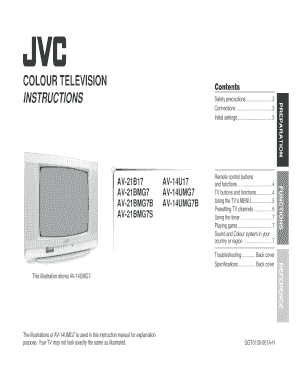
COLOUR TELEVISION INSTRUCTIONS Contents AV14U17 AV14UMG7 AV14UMG7B Remote control buttons and functions ................................. 4 TV buttons and functions ............... 4 Using the TVs.

How it works

  1. Open form

    Open form follow the instructions

  2. Easily sign form

    Easily sign the form with your finger

  3. Share form

    Send filled & signed form or save

How to fill out the COLOUR TELEVISION INSTRUCTIONS online

This guide provides comprehensive and user-friendly instructions for filling out the COLOUR TELEVISION INSTRUCTIONS online. It will assist users in navigating each section of the form and completing it accurately.

Follow the steps to fill out the COLOUR TELEVISION INSTRUCTIONS effectively.

  1. Click the ‘Get Form’ button to access the COLOUR TELEVISION INSTRUCTIONS and open it in your browser.
  2. Review the initial sections of the form, which include safety precautions and connections. Ensure you have all necessary equipment ready as per the guidelines provided.
  3. Fill in the language selection section. Choose your preferred display language from the options available, which will facilitate easier navigation of the instructions.
  4. Proceed to the instructions for setting up your television. This includes connecting to the aerial and configuring initial settings. Follow the detailed diagrams and instructions for accurate setup.
  5. Navigate through the section on operating the TV's menu. Familiarize yourself with using menu options such as PICTURE MODE, SOUND SETTINGS, and TIMER functions to personalize your viewing experience.
  6. If necessary, complete the sections on setting up game features and presetting channels. These instructions will guide you through adding, removing, or fine-tuning channels to optimize your viewing experience.
  7. After reviewing all sections, make sure all information is accurate. You can then save your changes, download, print, or share the completed COLOUR TELEVISION INSTRUCTIONS as needed.

Start filling out your COLOUR TELEVISION INSTRUCTIONS online today for a seamless viewing experience.

Get form

Experience a faster way to fill out and sign forms on the web. Access the most extensive library of templates available.
Get form

Related content

television - Kids | Britannica Kids | Homework...
Television, or TV, is a system for sending moving pictures and sound from one place to...
Learn more
13N-M100 | 13N-M150 Operation Manual
Please perform the following instructions before you press the power button. (1) Insert...
Learn more
COLOR TELEVISION USER'S GUIDE
This information includes basic instructions on operating your remote control, making a...
Learn more

Related links form

FR0022 Forma - Teo Labor And Delivery Report Sheet 2020 Attestato Di Guadagno Intermedio Michigan Immunization Records 2020

Questions & Answers

Get answers to your most pressing questions about US Legal Forms API.

Contact support

Red, green and blue are known as the primary colors, and the colors made by the addition of the primary colors are called secondary colors. Therefore, Red, Green, and Blue (RGB) are the three main colors that form a colored picture in a color tv.

[Color TV] adds a new dimension to the entertainment arts, adds realism to journalism, and intensifies television as a social and educational medium” — General David Sarnoff, Chairman of RCA Laboratories, on the release of RCA's color television system in 1953.

At the 1939 World's Fair, RCA laboratories–now a part of SRI International–introduced the all-electronic television system. The invention of the television created an industry that forever changed the world. By 1953, RCA devised the first complete electronic color TV system.

Colour television was first demonstrated publicly by John Logie Baird on 3 July 1928 in his laboratory at 133 Long Acre in London. The technology used was electro-mechanical, using a spinning mirror-drum and revolving disc that alternated blue-green and red filters. An early test subject was a basket of strawberries.

In color television, the image is reproduced by selective excitation of three RE-phosphors (blue, green, and red) deposited on the internal face of the screen by a highly powerful electron beam originating from a metal electrode (cathode). Such an excitation technique is termed Cathode Ray Tube (CRT) technology.

Get This Form Now!

Use professional pre-built templates to fill in and sign documents online faster. Get access to thousands of forms.
Get form
If you believe that this page should be taken down, please follow our DMCA take down processhere.

Industry-leading security and compliance

US Legal Forms protects your data by complying with industry-specific security standards.
  • In businnes since 1997
    25+ years providing professional legal documents.
  • Accredited business
    Guarantees that a business meets BBB accreditation standards in the US and Canada.
  • Secured by Braintree
    Validated Level 1 PCI DSS compliant payment gateway that accepts most major credit and debit card brands from across the globe.
Get COLOUR TELEVISION INSTRUCTIONS
Get form
Form Packages
Adoption
Bankruptcy
Contractors
Divorce
Home Sales
Employment
Identity Theft
Incorporation
Landlord Tenant
Living Trust
Name Change
Personal Planning
Small Business
Wills & Estates
Packages A-Z
Form Categories
Affidavits
Bankruptcy
Bill of Sale
Corporate - LLC
Divorce
Employment
Identity Theft
Internet Technology
Landlord Tenant
Living Wills
Name Change
Power of Attorney
Real Estate
Small Estates
Wills
All Forms
Forms A-Z
Form Library
Customer Service
Terms of Service
Privacy Notice
Legal Hub
Content Takedown Policy
Bug Bounty Program
About Us
Help Portal
Legal Resources
Blog
Affiliates
Contact Us
Delete My Account
Site Map
Industries
Forms in Spanish
Localized Forms
State-specific Forms
Forms Kit
Legal Guides
Real Estate Handbook
All Guides
Prepared for You
Notarize
Incorporation services
Our Customers
For Consumers
For Small Business
For Attorneys
Our Sites
US Legal Forms
USLegal
FormsPass
pdfFiller
signNow
airSlate WorkFlow
DocHub
Instapage
Social Media
Call us now toll free:
+1 833 426 79 33
As seen in:
  • USA Today logo picture
  • CBC News logo picture
  • LA Times logo picture
  • The Washington Post logo picture
  • AP logo picture
  • Forbes logo picture
© Copyright 1997-2025
airSlate Legal Forms, Inc.
3720 Flowood Dr, Flowood, Mississippi 39232
Form Packages
Adoption
Bankruptcy
Contractors
Divorce
Home Sales
Employment
Identity Theft
Incorporation
Landlord Tenant
Living Trust
Name Change
Personal Planning
Small Business
Wills & Estates
Packages A-Z
Form Categories
Affidavits
Bankruptcy
Bill of Sale
Corporate - LLC
Divorce
Employment
Identity Theft
Internet Technology
Landlord Tenant
Living Wills
Name Change
Power of Attorney
Real Estate
Small Estates
Wills
All Forms
Forms A-Z
Form Library
Customer Service
Terms of Service
Privacy Notice
Legal Hub
Content Takedown Policy
Bug Bounty Program
About Us
Help Portal
Legal Resources
Blog
Affiliates
Contact Us
Delete My Account
Site Map
Industries
Forms in Spanish
Localized Forms
State-specific Forms
Forms Kit
Legal Guides
Real Estate Handbook
All Guides
Prepared for You
Notarize
Incorporation services
Our Customers
For Consumers
For Small Business
For Attorneys
Our Sites
US Legal Forms
USLegal
FormsPass
pdfFiller
signNow
airSlate WorkFlow
DocHub
Instapage
Social Media
Call us now toll free:
+1 833 426 79 33
As seen in:
  • USA Today logo picture
  • CBC News logo picture
  • LA Times logo picture
  • The Washington Post logo picture
  • AP logo picture
  • Forbes logo picture
© Copyright 1997-2025
airSlate Legal Forms, Inc.
3720 Flowood Dr, Flowood, Mississippi 39232