Loading
Get Nj M-6025 2021-2026
How it works
-

Open form follow the instructions
-

Easily sign the form with your finger
-

Send filled & signed form or save
How to fill out the NJ M-6025 online
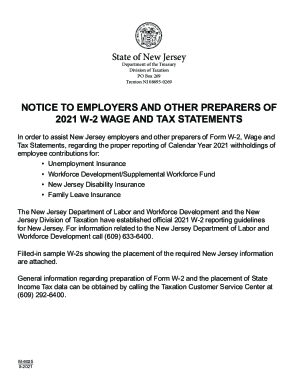
The NJ M-6025 form is essential for employers in New Jersey when reporting wage and tax information. This guide provides a step-by-step approach to successfully filling out the form online, ensuring compliance with state regulations.
Follow the steps to complete the NJ M-6025 accurately online.
- Click ‘Get Form’ button to obtain the NJ M-6025, which will open in the online form editor.
- Begin by entering the employee’s Social Security number in the designated field.
- Fill in the employer identification number (EIN) accurately.
- Provide the wages, tips, and other compensation amounts in the appropriate section.
- Indicate the federal income tax withheld from the employee’s wages.
- Complete fields for Social Security wages and taxes withheld.
- Add the Medicare wages and taxes withheld for the employee.
- Enter the employee's first name, middle initial, last name, and suffix as required.
- Include the employee's address and ZIP code.
- Fill in the state designation (NJ) and the employer's state ID number.
- Report state wages, tips, and other relevant information in the corresponding fields.
- Indicate the state income tax withheld from the employee.
- Complete any local wages and taxes, if applicable.
- Review all entries for accuracy, making any necessary corrections.
- Once the form is completed, save changes, download, print, or share the document as needed.
Complete your NJ M-6025 form online to ensure proper reporting and compliance.
Taxpayer ID (Federal Employer ID Number): Your Taxpayer Identification (FEIN) must be twelve digits long. Enter the first nine digits followed by three zeroes (000), or if you have a three digit suffix, enter the suffix after the first nine digits.