Loading
Get Ak Dr-720 2019-2026
How it works
-

Open form follow the instructions
-

Easily sign the form with your finger
-

Send filled & signed form or save
How to fill out the AK DR-720 online
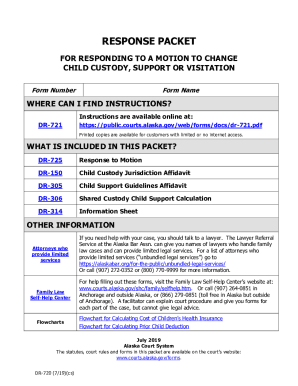
The AK DR-720 form is essential for responding to a motion regarding child custody, support, or visitation. This guide provides clear, step-by-step instructions to assist users in filling out this form effectively online, ensuring a smooth process for all involved parties.
Follow the steps to fill out the AK DR-720 form online:
- Press the ‘Get Form’ button to acquire the form and open it in your preferred online editing tool.
- Fill in your personal information including your full name, mailing address, and daytime telephone number. Ensure to type or hand print neatly using black ink only.
- Identify the court location and provide the names of the parties involved along with the case number as it appears in the motion.
- Indicate your response to the motion by selecting whether you agree or disagree. If you disagree, provide a detailed reason and attach any supporting documents.
- Complete the required attachments by checking the corresponding boxes for the Child Custody Jurisdiction Affidavit (form DR-150), Child Support Guidelines Affidavit (form DR-305), and Shared Custody Child Support Calculation (form DR-306), among others.
- Enter your parent information. If you wish to protect your current address or employer details, you may opt to not disclose that information but must provide an alternate mailing address.
- Sign the form before a notary public to complete the Oath or Affirmation. Remember to bring a photo ID for the notarization process.
- Fill out the Certificate of Service ensuring that a copy of your completed response and all documents are served to the other parent, noting the method and date of service.
- Finally, review all filled-out sections for accuracy and completeness. Save your changes, download, or print the form as needed.
Complete your documents online for a streamlined process.