Loading
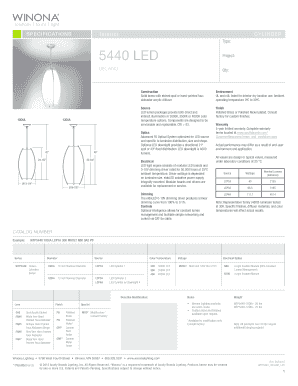
Get Win Na Solutions Forms Win Na Light Solutions Specifications Win Na Solutions Forms Light Delano
How it works
-

Open form follow the instructions
-

Easily sign the form with your finger
-

Send filled & signed form or save
How to fill out the WIN NA Solutions Forms WIN NA Light Solutions SPECIFICATIONS WIN NA Solutions Forms Light DELANO online
This guide provides a step-by-step overview of how to accurately complete the WIN NA Solutions Forms WIN NA Light Solutions SPECIFICATIONS WIN NA Solutions Forms Light DELANO online. It is designed to assist users of all experience levels in successfully navigating the form.
Follow the steps to complete the form correctly.
- Click ‘Get Form’ button to obtain the form and open it in the online editor.
- Begin filling out the 'Project' field by entering the name of your project, in this case, 'DELANO'. Make sure to accurately input the project name as it is important for tracking purposes.
- In the 'Qty' field, indicate the quantity of light fixtures required for your project. This is essential for inventory management.
- Select the 'Color' by reviewing the accepted color combinations provided. You can choose from options such as green, grey, and black based on your design specifications.
- Choose the 'Type' for your light solution. Options are often categorized as either 'Interior' or other applicable types—make sure to select the appropriate one for your needs.
- Fill in the specifications for 'Optics', which may include selecting any optional features such as LED downlight and defining the desired illumination distribution.
- In the 'Electrical' section, ensure that you note the relevant specifications, including the driver wattage and any specific requirements for the LED light engine.
- Specify the 'Finish' of the light fixture. Choose from polished brass or nickel, and consider any custom finishes available upon consultation.
- Review your entries for accuracy. Make sure all required fields are complete, and ensure that the specifications meet your project's requirements.
- Once all sections have been completed and reviewed, you can save your changes, download a copy of the form, print it, or share it through the provided options.
Complete your documentation online to streamline your project effectively.