Loading
Get Rd-225 Commonwealth Of Puerto Rico - Prfaa
How it works
-

Open form follow the instructions
-

Easily sign the form with your finger
-

Send filled & signed form or save
How to fill out the RD-225 COMMONWEALTH OF PUERTO RICO - PRFAA online
Filling out the RD-225 form online allows you to apply for a death certificate in Puerto Rico efficiently. This guide provides step-by-step instructions to help you navigate each section of the form with ease.
Follow the steps to complete your application successfully.
- Click ‘Get Form’ button to obtain the form and open it in the editor.
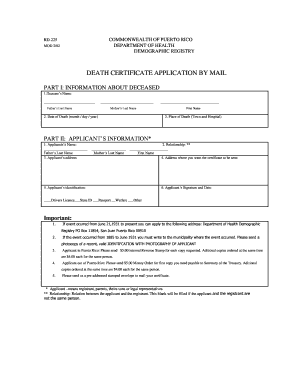
- In Part I, provide the information about the deceased. Fill in the deceased's name, including both the father's and mother's last names. Enter the date of death in the specified format (month/day/year) and indicate the place of death, including the town and hospital.
- Move to Part II, where you will input the applicant’s information. Enter the applicant's name, including the father's and mother's last names. Provide the applicant's address, relationship to the deceased, and the address where you want the certificate to be sent.
- In the identification section, indicate the type of identification the applicant will provide, such as a driver's license, state ID, passport, or welfare identification.
- Ensure to include the applicant's signature and the date of application at the end of the form.
- Once all sections are completed, review your information for accuracy. You can then save changes, download the form for printing, or share the completed application as needed.
Complete your application online today for a seamless process.
The Executive Director of the Puerto Rico Federal Affairs Administration (PRFAA), Luis D. Dávila, welcomed the Executive Director of the Puerto Rico Ports Authority (PRPA), Joel Pizá, to our Nation's Capital to further expand the Island's maritime and aerospace industries.