Loading
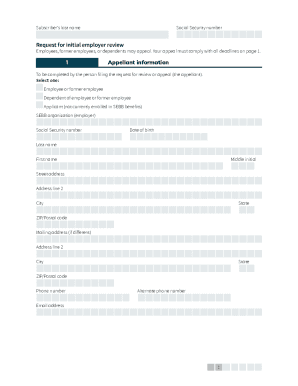
Get Wa Hca 20-0161 2021
How it works
-

Open form follow the instructions
-

Easily sign the form with your finger
-

Send filled & signed form or save
How to fill out the WA HCA 20-0161 online
Filling out the WA HCA 20-0161 form can be straightforward with the right guidance. This document serves as an appeal request related to employee benefits, and understanding each section is crucial for a successful submission.
Follow the steps to fill out the WA HCA 20-0161 form effectively.
- Press the ‘Get Form’ button to access the WA HCA 20-0161 form and open it in the online editor.
- In Section 1, fill out your personal information, including your last name, first name, date of birth, social security number, and contact details. Be sure to clearly indicate if you are an employee, dependent, or applicant.
- If the appeal concerns other individuals, complete the other enrollee information section with their names and social security numbers.
- In Section 2, describe the appeal situation with as much detail as possible. This information is vital for the review process.
- Complete Section 3 by signing and dating the form to verify that the information provided is accurate and complete.
- After completing the necessary sections, ensure you save your changes in the online editor. You can then download a copy, print it for your records, or share it directly with the relevant office as instructed.
Complete your documents online to ensure a timely appeal process.
Get form
Experience a faster way to fill out and sign forms on the web. Access the most extensive library of templates available.
Get This Form Now!
Use professional pre-built templates to fill in and sign documents online faster. Get access to thousands of forms.