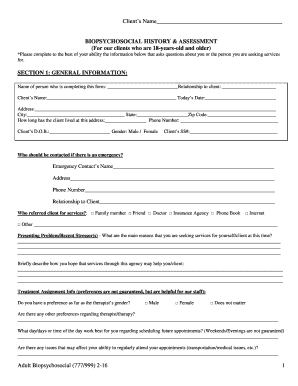
Get Biopsychosocial History & Assessment 2016-2026
How it works
-

Open form follow the instructions
-

Easily sign the form with your finger
-

Send filled & signed form or save
How to fill out the Biopsychosocial History & Assessment online
Completing the Biopsychosocial History & Assessment online is a vital step in providing comprehensive information about mental health and social factors relevant to your care. This guide will help you navigate the form with clarity and confidence.
Follow the steps to complete your assessment effectively.
- Press the ‘Get Form’ button to access the form and open it for completion.
- Begin by entering the general information in Section 1. Fill in your name, relationship to the client, client’s name, date, address, city, state, zip code, how long the client has lived at this address, phone number, date of birth, and select the client's gender.
- Next, complete the emergency contact information. Provide the name, address, phone number, and relationship to the client for the individual who should be contacted in case of an emergency.
- Indicate how the client was referred for services by selecting the appropriate option and briefly describe the presenting problems or stressors that led to seeking services.
- In Section 2, check the boxes next to any symptoms that describe the issues the client is currently facing. Be thorough in your selections to provide a clear picture of the client's challenges.
- Proceed to Section 3 and answer the questions regarding psychiatric or mental health treatment history. Include details about any current or past treatments, hospitalizations, diagnoses, and any thoughts of self-harm.
- Continue through the subsequent sections, detailing family history, medical history, addiction history, trauma history, legal issues, and vocational and educational history. Each section contains specific questions that should be answered as completely as possible.
- For personal assessment in Section 12, describe leisure activities, cultural identity, spirituality, and any concerns regarding strengths and weaknesses.
- Once all sections are completed, review the information for accuracy. Ensure all necessary signatures are provided where indicated.
- Finally, save changes to the document and choose to download, print, or share it as needed.
Start filling out your Biopsychosocial History & Assessment form online today for a smoother experience!
Creating a biopsychosocial assessment report starts with clearly defining the report's objectives and the context of the assessment. Include sections for the individual's biological, psychological, and social aspects, supported by relevant data and observations. Utilizing a structured Biopsychosocial History & Assessment format ensures that the report is easy to understand and actionable for various stakeholders in the individual's care.