Loading
Get Da Form 7725
How it works
-

Open form follow the instructions
-

Easily sign the form with your finger
-

Send filled & signed form or save
How to fill out the Da Form 7725 online
Filling out the Da Form 7725 online is a straightforward process designed to ensure that child health assessments and sports physicals are completed efficiently. This guide will provide you with clear, step-by-step instructions to navigate the form successfully.
Follow the steps to complete the Da Form 7725 accurately
- Click ‘Get Form’ button to obtain the form and open it in your preferred editor.
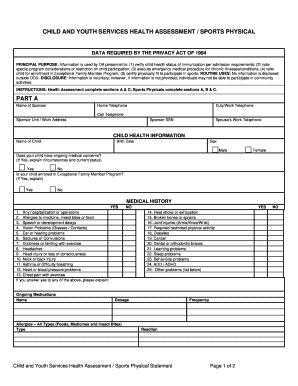
- Complete Part A by entering the sponsor's name, contact information, and details about the child, including their health information and enrollment status in the Exceptional Family Member Program.
- In Part A, provide the child's medical history by answering the questions about past hospitalizations, allergies, and any existing medical conditions. Ensure to elaborate on any 'yes' answers.
- List any ongoing medications, including names, dosages, and types of allergies in the appropriate sections.
- Proceed to Part B, where a licensed health care professional will assess the child's physical condition. This section requires measurements such as age, height, weight, and blood pressure, along with an evaluation of various health aspects.
- Based on the assessment, indicate any restrictions or recommendations regarding sports participation. Ensure that all comments and evaluations are clearly noted.
- Complete Part C by describing any special medical considerations that may affect the child's participation in activities. Confirm if the child can participate in normal Child and Youth Services programs.
- Ensure that a licensed health care professional signs and dates the form. As a parent or guardian, also add your signature and the date of approval.
- Finally, review all entries for accuracy before saving changes. You can then download, print, or share the completed form as needed.
Complete your documents online to ensure a seamless process.