Loading
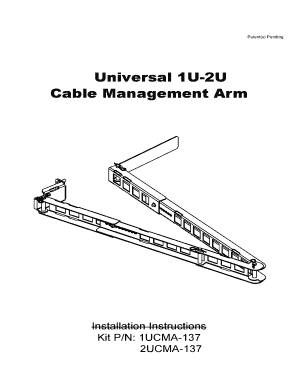
Get Universal Cable Management Arm
How it works
-

Open form follow the instructions
-

Easily sign the form with your finger
-

Send filled & signed form or save
How to fill out the Universal Cable Management Arm online
Filling out the Universal Cable Management Arm form online is a straightforward process. This guide will provide you with clear instructions to ensure that you complete the form correctly and efficiently.
Follow the steps to complete your form with ease.
- Click ‘Get Form’ button to obtain the form and open it in the editor.
- Fill in the required information in the designated fields. Ensure that all details are accurate and complete, as this will facilitate the processing of your application.
- Review the form carefully for any errors or omissions. This step is crucial to avoid delays in processing.
- Once you have confirmed that all information is correct, proceed to save your changes. Look for the option to save your document for future reference.
- After saving, you may choose to download, print, or share the completed form as needed. Make sure to keep a copy for your records.
Complete your documents online today for a seamless experience.
Related links form
0:00 2:01 Installing the Cable Management Arm - YouTube YouTube Start of suggested clip End of suggested clip The power supplies. Giving you access to the rear cables. And power supplies more easily. If youMoreThe power supplies. Giving you access to the rear cables. And power supplies more easily. If you still decide to mount the CMA on the right side do the following.
Industry-leading security and compliance
US Legal Forms protects your data by complying with industry-specific security standards.
-
In businnes since 199725+ years providing professional legal documents.
-
Accredited businessGuarantees that a business meets BBB accreditation standards in the US and Canada.
-
Secured by BraintreeValidated Level 1 PCI DSS compliant payment gateway that accepts most major credit and debit card brands from across the globe.