Loading
Get Wbenclink2 0
How it works
-

Open form follow the instructions
-

Easily sign the form with your finger
-

Send filled & signed form or save
How to fill out the Wbenclink2 0 online
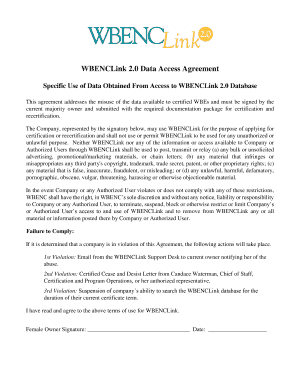
The Wbenclink2 0 form is essential for companies seeking certification and recertification through the WBENCLink database. This guide will provide a step-by-step approach to completing the form accurately and efficiently.
Follow the steps to successfully fill out the Wbenclink2 0 form.
- Click the ‘Get Form’ button to obtain the Wbenclink2 0 form and open it in the designated editing platform.
- Review the introduction section of the form, which outlines the terms of use. Ensure that all designated users understand the restrictions on data usage.
- Complete the identification section by providing the company name and the name of the majority owner, who must sign the agreement.
- Read through the sections that detail acceptable and prohibited uses of the data from WBENCLink. Make sure to understand the implications of misuse.
- After reviewing the terms, the majority owner must provide their signature in the designated area, along with the date of signing.
- Ensure all required documentation is prepared to be submitted alongside the Wbenclink2 0 form as part of the certification or recertification package.
- After completing the form, you can save your changes, download the completed document, print it, or share it as needed.
Start competing documents online and complete your Wbenclink2 0 form today!
Our mission is to fuel economic growth globally by identifying, certifying, and facilitating the development of women-owned businesses.