Loading
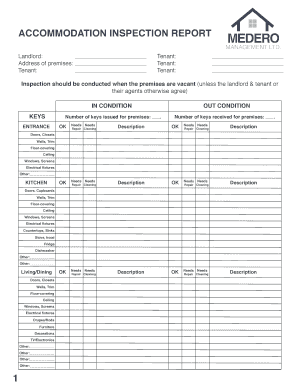
Get Accomodation-inspection-report
How it works
-

Open form follow the instructions
-

Easily sign the form with your finger
-

Send filled & signed form or save
How to fill out the Accommodation Inspection Report online
This guide provides clear and supportive instructions on how to effectively fill out the Accommodation Inspection Report online. By following these steps, you will ensure that all necessary information is accurately recorded.
Follow the steps to complete your Accommodation Inspection Report online.
- Click ‘Get Form’ button to access the report and open it for editing. This allows you to begin filling out the necessary sections.
- In the 'Landlord' section, enter the name and address of the landlord overseeing the premises. Ensure that all information is accurate and clearly written.
- Provide the tenant's information. This section should list the tenant(s) living in the premises, ensuring to include all relevant names.
- For the 'Inspection' section, note that inspections should be conducted when the premises are vacant unless otherwise agreed upon. Indicate the condition of each component by checking 'OK' or 'Needs' and provide descriptions for any items marked as needing attention.
- Continue this process for each area of the property, including the kitchen, living/dining areas, bedrooms, and bathrooms, specifying any necessary repairs or cleaning tasks.
- For initial and final inspections, fill out the date of inspection and the names of participants. This includes signatures from both the landlord and tenant or their agents.
- After completing the report, review all entries for accuracy. Users can then save changes, download the document for their records, print, or share the form as desired.
Start filling out your Accommodation Inspection Report online to ensure a smooth process.
Related links form
Even if your tenancy agreement has a “viewing clause” viewings still can't take place without your permission.