Loading
Get Ad Hoc Salary Change Overview Form
How it works
-

Open form follow the instructions
-

Easily sign the form with your finger
-

Send filled & signed form or save
How to fill out the Ad Hoc Salary Change Overview Form online
This guide provides a clear and detailed overview of how to effectively fill out the Ad Hoc Salary Change Overview Form online. Whether you are familiar with digital document management or are new to the process, this guide will support you in submitting your request with confidence.
Follow the steps to complete the form accurately online.
- Click the ‘Get Form’ button to obtain the Ad Hoc Salary Change Overview Form and open it in your preferred editor.
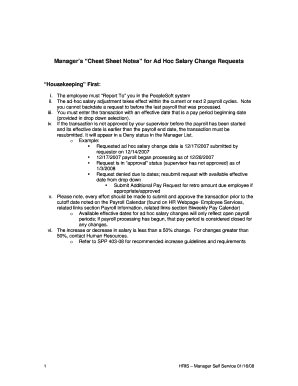
- Review the initial instructions carefully. Ensure that you understand the requirements related to effective dates, approval processes, and percentage changes in salary adjustments.
- Locate the 'Employee Information' section and enter the necessary details of the employee whose salary is being adjusted. Make sure the information is accurate to prevent delays.
- In the 'Salary Adjustment Details' section, specify whether the adjustment is an increase or decrease and ensure that the change does not exceed a 50% variation in salary.
- Choose the appropriate effective date from the dropdown menu that aligns with the payroll processing calendar. Remember, requests cannot be backdated.
- If applicable, indicate the reason for the adjustment. Refer to the guidelines provided to select the correct category based on whether it is a standard ad hoc change or associated with a promotion.
- After reviewing all entered details for accuracy, save your changes to ensure that all information is retained before submission.
- Finally, submit the completed form for approval. Keep track of the approval status and be prepared to resubmit if the transaction is not approved before the payroll cutoff.
Start filling out the Ad Hoc Salary Change Overview Form online today to ensure timely and accurate processing of salary adjustments.
Access the Select Employees page (Manager Self Service, Compensation and Stock, Request Ad Hoc Salary Change, Select Employees). Select the check boxes associated with the employees whose salary you want to change; click Continue. You can also search for specific employee by clicking the Search for an employee button.
Industry-leading security and compliance
US Legal Forms protects your data by complying with industry-specific security standards.
-
In businnes since 199725+ years providing professional legal documents.
-
Accredited businessGuarantees that a business meets BBB accreditation standards in the US and Canada.
-
Secured by BraintreeValidated Level 1 PCI DSS compliant payment gateway that accepts most major credit and debit card brands from across the globe.