Loading
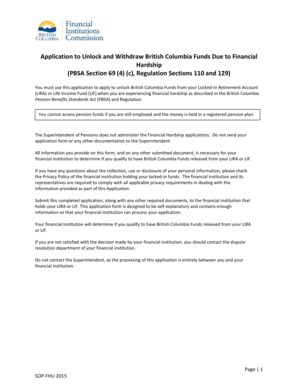
Get Application To Unlock And Withdraw British Columbia Funds Due To Financial
How it works
-

Open form follow the instructions
-

Easily sign the form with your finger
-

Send filled & signed form or save
How to fill out the Application To Unlock And Withdraw British Columbia Funds Due To Financial online
This guide provides step-by-step instructions on how to fill out the Application To Unlock And Withdraw British Columbia Funds Due To Financial Hardship online. It is designed to help users understand the process and ensure they provide all necessary information accurately.
Follow the steps to complete your application effectively.
- Click ‘Get Form’ button to access the application form. This will allow you to open the form in a suitable editing tool.
- Begin by filling out the general applicant information. This includes inputting your title, last name, first name, middle name, mailing address, city, province, postal code, email address, telephone number, and date of birth.
- Provide the financial institution and account information. Fill in the name of the financial institution that holds your Locked-In Retirement Account (LIRA) or Life Income Fund (LIF), along with your account number.
- Complete the spousal information section if applicable. Enter your spouse’s title, last name, first name, middle name, mailing address (or select 'same as applicant'), city, province, postal code, and telephone number.
- Select the reason for your application from the options provided: Low Income, Foreclosure on Principal Residence, Threat of Eviction from Principal Residence, Need to Secure New Principal Residence, or Medical Costs. Make sure to follow the specific instructions for the chosen reason.
- For each reason selected, provide detailed documentation as required (e.g., a notice of eviction or foreclosure, income calculations, etc.). Ensure you have attached all necessary documents to support your application.
- Review your application for accuracy. Double-check that all information is correctly entered and all documentation is included.
- Sign and date the application in the certification section, confirming that all information is true and accurate.
- Submit your completed application along with any additional required documents to the financial institution that holds your LIRA or LIF.
- Once submitted, you may need to wait for your financial institution to process your application. If you receive a decision, and you are not satisfied, consider contacting the dispute resolution department.
- After all changes are made, ensure you save the form. You may choose to download, print, or share the completed application as necessary.
Start your application today to take the next step towards unlocking your British Columbia funds!
Form 1 is used when the spouse of a member/former member of a pension plan agrees to waive or give up his or her right to receive survivor's benefits to permit the member/former member to unlock (“withdraw”) benefits from a pension plan, locked-in retirement account or life income fund on the basis of shortened life ...
Industry-leading security and compliance
US Legal Forms protects your data by complying with industry-specific security standards.
-
In businnes since 199725+ years providing professional legal documents.
-
Accredited businessGuarantees that a business meets BBB accreditation standards in the US and Canada.
-
Secured by BraintreeValidated Level 1 PCI DSS compliant payment gateway that accepts most major credit and debit card brands from across the globe.