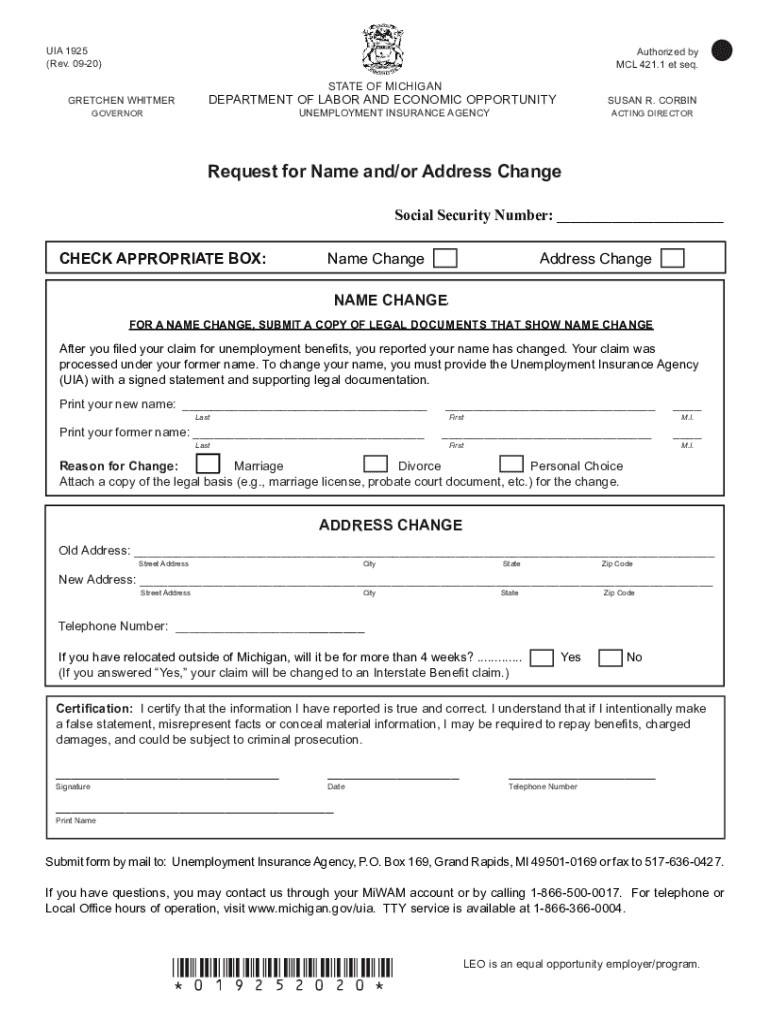
UIA 1925 (Rev. 0920)Reset FormGRETCHEN WHITMER GOVERNORSTATE OF MICHIGANDEPARTMENT OF LABOR AND ECONOMIC OPPORTUNITYAuthorized by MCL 421.1 et seq. SUSAN R. CORBINUNEMPLOYMENT INSURANCE AGENCYACTING.
Loading

Open form follow the instructions

Easily sign the form with your finger

Send filled & signed form or save
How to use or fill out the Uia 1920 - Fill Online, Printable, Fillable, BlankpdfFiller online
Filling out the Uia 1920 form is essential for individuals who need to change their name or address related to their unemployment claim. This guide will provide clear, step-by-step instructions to ensure you complete the form accurately and submit it successfully.
Follow the steps to fill out the Uia 1920 form online
- Press the ‘Get Form’ button to access the form and open it in your preferred editor.
- Identify whether you are applying for a name change or an address change by checking the appropriate box.
- If you are changing your name, print your new name and your former name in the designated fields, ensuring that you follow up with the required legal documents that support the name change.
- For an address change, fill in your old and new addresses completely, including the street address, city, state, and zip code.
- Provide your telephone number in the space provided for direct communication.
- Indicate if you have relocated outside of Michigan and whether it will be for more than four weeks.
- Certify the information you have provided by signing the form, including your printed name and the date of submission.
- After completing the form, save your changes, and you can opt to download, print, or share the completed document as necessary.
Complete your documents online today for a seamless experience.
Experience a faster way to fill out and sign forms on the web. Access the most extensive library of templates available.
Related content
UIA 1718, Unemployed Worker's Statement of Wages (Fillable). UIA 1718, Unemployed Worker's...
Get answers to your most pressing questions about US Legal Forms API.
What is a 6347 form for Michigan unemployment?
What is a 6347? If your employee has been a victim of suspected ID theft, they may receive a letter from UIA Form UIA 6347, Request for Identity Verification. Employees should submit the requested ID verification documents, along with the Letter ID found on Form 6347 through their MiWAM account.
How do I request for information about unemployment in Michigan?
Any person may request their own records or authorize the UIA to release his/her records to a third-party by submitting a completed Form UIA 6102, Authorization to Release Confidential Information. Form UIA 6102, is available online at https://.michigan.gov/documents/uia/6102_259839_7.pdf.
How do I get a Michigan UIA number?
How do I get my Unemployment Tax Identification Number? You can register online at the Michigan Unemployment Insurance Agency website. Contact the agency directly at 1-313-456-2188 for registration assistance or to check if a tax identification number is already assigned for your business.
What does open non monetary issue mean for unemployment in Michigan?
Typically, a non-monetary issue means that the claimant certification was accepted but is not yet payable because there's an issue that needs to be reviewed first. When there is an issue, a situation, or condition that affects the claimant's benefits rights, the UIA must investigate.
Use professional pre-built templates to fill in and sign documents online faster. Get access to thousands of forms.
If you believe that this page should be taken down, please follow our DMCA take down process here.