Loading
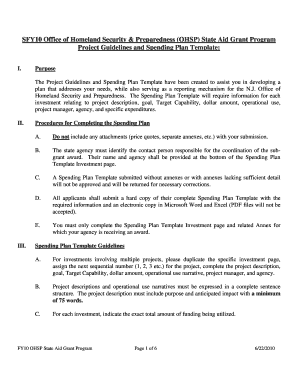
Get Project Plan Spending Example
How it works
-

Open form follow the instructions
-

Easily sign the form with your finger
-

Send filled & signed form or save
How to fill out the Project Plan Spending Example online
This guide aims to provide you with a clear understanding of how to effectively complete the Project Plan Spending Example online. By following these instructions, you will be able to accurately report your contributions to the N.J. Office of Homeland Security and Preparedness.
Follow the steps to complete your Project Plan Spending Example
- Click the ‘Get Form’ button to obtain the Project Plan Spending Example and open it in your editing environment.
- Begin by filling out the project description, ensuring it captures both the purpose and anticipated impact of your project in at least 75 words.
- Clearly define the goal and objective of your project. Make sure these align with the overall mission to enhance security and information sharing capabilities.
- Specify the target capability that your project addresses, along with the associated tasks and activities that your project will involve.
- Enter the total funding amount for this project accurately, ensuring it aligns with your proposed expenditures.
- Provide a detailed narrative on the operational use of any equipment, linking it to the appropriate category such as planning, organizing, equipment, or training.
- At the bottom of the investment page, input the name of the project manager and the agency responsible for this project.
- If your project involves multiple investments, replicate the investment page and sequentially number the projects as needed.
- Review the completed form to ensure all fields are accurately filled and all necessary details are included.
- Once ready, save your changes, and consider downloading or printing a copy for your records. You may also share the completed form as required.
Start completing your Project Plan Spending Example online today!
How to Track Project Expenses & Costs Establish Cost Tracking Systems. The first rule is to have a system in place to deal with your expenses and have the capacity to track them. ... Provide Online Access. ... Identify Budget Items. ... Create a Project Budget. ... Assign Someone to Track Expenses. ... Track and Control Expenses In Real-time.
Industry-leading security and compliance
US Legal Forms protects your data by complying with industry-specific security standards.
-
In businnes since 199725+ years providing professional legal documents.
-
Accredited businessGuarantees that a business meets BBB accreditation standards in the US and Canada.
-
Secured by BraintreeValidated Level 1 PCI DSS compliant payment gateway that accepts most major credit and debit card brands from across the globe.