Loading
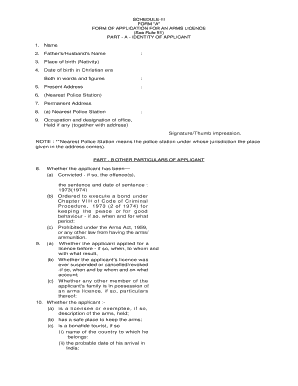
Get Arms Licence Meghalaya
How it works
-

Open form follow the instructions
-

Easily sign the form with your finger
-

Send filled & signed form or save
How to fill out the Arms Licence Meghalaya online
Filling out the Arms Licence Meghalaya application online can be a straightforward process if you are well-prepared. This guide provides clear and detailed instructions to help you complete the application form accurately.
Follow the steps to successfully fill out the form.
- Click the ‘Get Form’ button to access the application form and open it in your preferred editor.
- Include your occupation and the designation of your office, if applicable, along with the office address.
- Respond to questions regarding previous applications for a licence and any past suspensions or cancellations.
- Indicate the area within which you wish to carry arms and mention where they will be stored or manufactured.
- Finally, review all sections for completeness. Ensure that the declaration at the end is signed with your thumb impression.
- Save changes to your filled-out form. You may then download, print, or easily share the completed document as needed.
Begin preparing your Arms Licence Meghalaya application online today.
The Indian Arms Act allows for two licenses: NPB (non-prohibited bore) and PB (prohibited bore).