Loading
Get Canada Cf2798 2021-2026
How it works
-

Open form follow the instructions
-

Easily sign the form with your finger
-

Send filled & signed form or save
How to fill out the Canada CF2798 online
The Canada CF2798 form is essential for establishing eligibility for Affordable Child Care Benefits and indicating the caregiver arrangement. This guide provides clear, step-by-step instructions to assist users in accurately completing the form online.
Follow the steps to complete the Canada CF2798 form efficiently.
- Press the ‘Get Form’ button to obtain the Canada CF2798 form and open it in your editor.
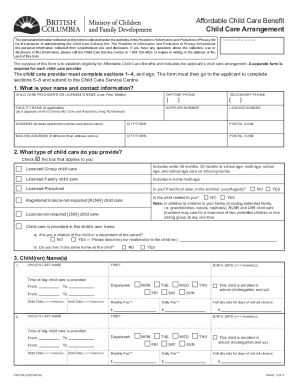
- In the first section, input your name and contact information, including your daytime phone number and facility name, if applicable. Be sure to provide accurate information to avoid processing delays.
- Select the type of child care you provide by checking the appropriate box. Options include licensed group child care, licensed family child care, licensed preschool, registered license-not-required child care, and other types. Ensure you accurately describe any relevant details regarding your relationship to the child and caregiving situation.
- List the child(ren)'s names and birth dates. For each child, specify the times of day child care is provided as well as the start and end dates. If applicable, indicate if the child is enrolled in school and the rates associated with the care provided.
- The child care provider must sign and date the form in Section 4, confirming the accuracy of the information and the requirement to notify the Child Care Service Centre of any changes.
- In Section 5, the applicant needs to provide their name and phone number. This ensures the Child Care Service Centre can reach them for any follow-up questions.
- In Section 6, the applicant should check the appropriate box that corresponds to their reason for submitting the form. This could include whether it's their first application or if the child care provider is replacing another.
- Complete the declaration in Section 7 by confirming that the information is complete and accurate. The applicant must also sign and date the form in Section 8 and provide their Social Insurance Number.
- Once all sections are completed, save the changes made to the form. You have the option to download, print, or share the completed Canada CF2798 form as needed for submission.
Complete your forms online today to ensure a smooth application process.