Loading
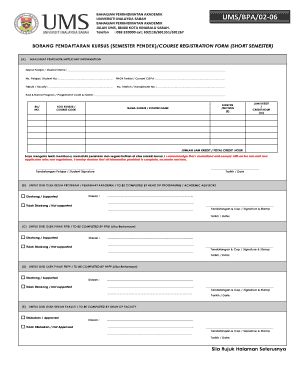
Get Pendaftaran Kursus Ums
How it works
-

Open form follow the instructions
-

Easily sign the form with your finger
-

Send filled & signed form or save
How to fill out the Pendaftaran Kursus Ums online
This guide provides detailed instructions on how to successfully fill out the Pendaftaran Kursus Ums, the course registration form for the short semester at Universiti Malaysia Sabah. By following these steps, users can navigate the form with ease and ensure that all necessary information is provided accurately.
Follow the steps to complete your course registration form online:
- Press the ‘Get Form’ button to access the Pendaftaran Kursus Ums and open it in your editing platform.
- In the applicant information section, enter your name, student number, current CGPA, faculty, and handphone number.
- Fill in the course details by entering the course code, section(s), course name, and the credit hours for each course you wish to register for.
- Review your information and ensure that it is complete, accurate, and true before proceeding.
- Sign in the designated area to confirm your understanding of the rules and regulations.
- Include the date of completion next to your signature.
- Submit the form to the relevant academic authorities for necessary approvals.
- Make sure to keep a copy of the completed form for your records.
Complete your course registration online to ensure you meet your academic goals.