Loading
Get Australian Immunisation Register - Australian Government ...
How it works
-

Open form follow the instructions
-

Easily sign the form with your finger
-

Send filled & signed form or save
How to fill out the Australian Immunisation Register - Australian Government online
This guide provides clear instructions on how to complete the Australian Immunisation Register form online. By following these steps, users can efficiently submit the necessary information regarding immunisation medical exemptions.
Follow the steps to successfully complete the form.
- Click ‘Get Form’ button to acquire the form and open it in your editing tool.
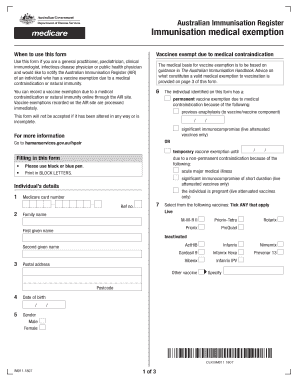
- Begin filling in the individual’s details, including the Medicare card number, family name, first and second given names, postal address, date of birth, and gender. Ensure all fields are accurately completed in block letters.
- Indicate the type of vaccine exemption applicable by ticking the appropriate option based on prior medical history, such as permanent or temporary vaccine exemption.
- Select any vaccines that apply to the individual by checking the relevant boxes provided.
- If applicable, indicate any natural immunity to the specified diseases and confirm the evidence by selecting either laboratory testing or physician-based clinical diagnosis.
- Complete the provider’s declaration by confirming your eligibility to certify immunisation medical exemptions, and ensure that all information is accurate and complete.
- Finally, review the form for any errors or missing information, and then save changes, download, print, or share the completed form as necessary.
Complete your documents online today for efficient processing.
If you don't have a myGov account, you can go to the myGov website to create one. To get your immunisation history statement, link the Individual Healthcare Identifiers service (IHI service) to your myGov account. You'll need an Individual Healthcare Identifier (IHI).