Loading
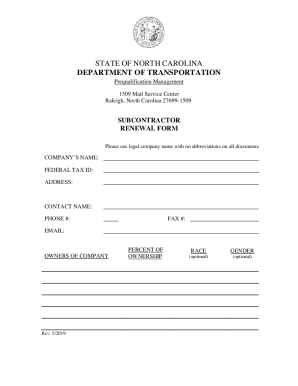
Get Nc Subcontractor Renewal Form 2019-2026
How it works
-

Open form follow the instructions
-

Easily sign the form with your finger
-

Send filled & signed form or save
How to fill out the NC Subcontractor Renewal Form online
This guide provides step-by-step instructions for completing the NC Subcontractor Renewal Form online. Designed for ease of use, it will help you navigate the various sections and fields of the form, ensuring that all necessary information is accurately submitted.
Follow the steps to complete your renewal form effectively.
- Click ‘Get Form’ button to obtain the form and open it in your browser or a PDF editor.
- Fill out your company’s name in the designated field using the legal name without any abbreviations.
- Input your Federal Tax ID in the corresponding section.
- Provide your complete address, including street, city, state, and zip code.
- Enter the contact person’s name along with their phone number, fax number, and email address.
- List the owners of the company, including their percentage of ownership, race, and gender (optional).
- Review the checklist provided to ensure that all required sections, including the Safety Index, Work Location sheet, and affidavit, are completed.
- Fill out Part 1 and Part 2 of the Safety Index, which includes providing your firm’s Experience Modification Rate and Incident Rate.
- Complete the work location sheet by checking only those counties or divisions where you typically work.
- Finalize the form by signing the affidavit, confirming the accuracy of the provided information.
- Email the completed package to the provided address: Prequal@ncdot.gov.
- After submission, save changes, download your copy, or print it for your records.
Start filling out your NC Subcontractor Renewal Form online today!
To obtain a license you must complete the Application for License to Practice General Contracting in the State of North Carolina which is available on the Boards website at .nclbgc.org. The application must fully comply with all requirements established by the Board's statutes and rules.