Loading
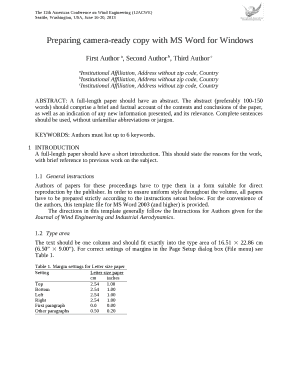
Get Preparing Camera-ready Copy With Ms Word For Windows
How it works
-

Open form follow the instructions
-

Easily sign the form with your finger
-

Send filled & signed form or save
How to fill out the Preparing camera-ready copy with MS Word for Windows online
This guide provides comprehensive instructions on filling out the Preparing camera-ready copy using MS Word for Windows. It is tailored to assist users of varying experience levels in creating their submissions accurately and efficiently.
Follow the steps to successfully complete your form online:
- Click ‘Get Form’ button to obtain the form and open it in the editor.
- Once the form is open, begin by entering the title of your paper. Ensure that it is concise and informative, ideally no more than seven words.
- Next, include the names of all authors. Format the author names followed by their institutional affiliations, ensuring the information is centered on the page.
- For the abstract section, write a brief summary (100-150 words) of your paper, clearly stating its contents and conclusions.
- List up to six keywords relevant to your paper in the designated keywords section.
- Proceed to the introduction section where you should provide a short paragraph outlining the reasons for your work and referencing previous studies.
- Follow the general instructions for formatting as set out in the guidelines, including maintaining proper margins and text styles.
- Use the designated style tags for headers, body text, figures, and tables as per the instructions.
- Ensure that all equations, figures, and tables are correctly formatted and placed within the text as directed.
- After completing all sections, review your document to ensure accuracy and conformity to the guidelines.
- Finally, save your changes and download or print the document as required.
Start filling out your document online now!
Use single line spacing throughout the document. Keep the abstract, running text and long captions justified; the chapter title, author's name, affiliation, the table text, section headings – aligned left. Indent the first line of each paragraph by 0.37 cm.
Industry-leading security and compliance
US Legal Forms protects your data by complying with industry-specific security standards.
-
In businnes since 199725+ years providing professional legal documents.
-
Accredited businessGuarantees that a business meets BBB accreditation standards in the US and Canada.
-
Secured by BraintreeValidated Level 1 PCI DSS compliant payment gateway that accepts most major credit and debit card brands from across the globe.