Loading
Get Metro Service Centre
How it works
-

Open form follow the instructions
-

Easily sign the form with your finger
-

Send filled & signed form or save
How to fill out the Metro Service Centre online
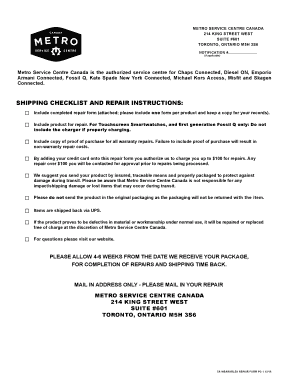
The Metro Service Centre provides users with a streamlined process to manage repairs for various connected products. This guide will help you understand how to accurately fill out the required form online to ensure timely and effective service.
Follow the steps to successfully complete your repair form.
- Click ‘Get Form’ button to obtain the form and open it in your document editor.
- Provide your personal details in the customer information section. Make sure to print clearly your name, address, phone numbers, and email address.
- In the repair information section, select your device's platform (iPhone or Android) and fill in the style number and serial number from the caseback.
- Indicate whether the item is engraved by selecting 'Yes' or 'No.'
- Carefully describe the problem you are experiencing with your product in the provided fields.
- Select any applicable warranty or non-warranty repair options related to your device model. Make sure to note any specific issues and required actions.
- Choose a payment method. If using a credit card, fill in the necessary details, including card type, number, and expiration date.
- After completing the form, save your changes. You can then download, print, or share the form as needed.
Complete your Metro Service Centre repair form online today for prompt service.
Related links form
Online. By calling 1-888-8metro8 (1-888-863-8768)