Loading
Get Parlo Tracker
How it works
-

Open form follow the instructions
-

Easily sign the form with your finger
-

Send filled & signed form or save
How to fill out the Parlo Tracker online
The Parlo Tracker is an essential tool designed for users to monitor student progress and engage with educational outcomes effectively. This guide provides clear, step-by-step instructions on how to fill out the Parlo Tracker online, ensuring a smooth experience for all users.
Follow the steps to successfully complete the Parlo Tracker form online.
- Press the ‘Get Form’ button to obtain the Parlo Tracker form and open it in your chosen browser.
- Begin by logging into the system. Type your username and password, which were sent to your email address. Click 'Sign In' to access the dashboard.
- Upon your first login, you will be prompted to change your password. Create a new password that you will remember, and enter it in the appropriate fields. Click 'Change Password' to proceed.
- Once your password is successfully changed, you will be redirected back to the login screen. Log in again using your username and the new password.
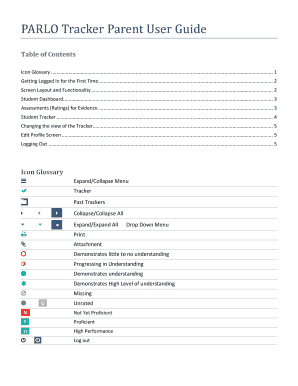
- Explore the Student Dashboard where you will find sections showing evidence statistics and overall learning outcomes. Familiarize yourself with each component displayed.
- To track a student's progress, select the numeric indicators that represent different learning outcomes and performance ratings.
- As you navigate the system, click on any light blue items to view detailed information or updates on specific assignments or evidence.
- If needed, change your profile settings by selecting your name in the top right corner and then choosing 'Settings.' Update your email and password as necessary, and click 'Update Profile' to save changes.
- Finally, when you have completed your use of the system, select 'Logout' from the dropdown menu next to your name to securely exit the Parlo Tracker.
Start filling out your documents online today to enhance student tracking and support their learning journey.
Industry-leading security and compliance
US Legal Forms protects your data by complying with industry-specific security standards.
-
In businnes since 199725+ years providing professional legal documents.
-
Accredited businessGuarantees that a business meets BBB accreditation standards in the US and Canada.
-
Secured by BraintreeValidated Level 1 PCI DSS compliant payment gateway that accepts most major credit and debit card brands from across the globe.