Loading
Get Frs Fr 2100 2020-2026
How it works
-

Open form follow the instructions
-

Easily sign the form with your finger
-

Send filled & signed form or save
How to fill out the FRS FR 2100 online
Filling out the FRS FR 2100 online is an essential process for institutions regulated by the Federal Reserve Board. This guide provides clear, step-by-step instructions to help users complete the form efficiently and accurately.
Follow the steps to fill out the FRS FR 2100 online.
- Click ‘Get Form’ button to obtain the form and open it in your preferred online editor.
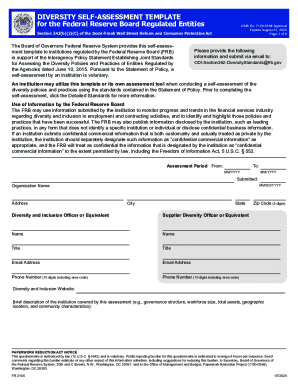
- Begin by providing the assessment period. Indicate the start and end dates in MM/YYYY format.
- Enter the organization name, address, state, city, and zip code. Ensure that the information is accurate and up-to-date.
- Provide contact information for the diversity and inclusion officer, including name, title, email address, and phone number.
- Complete the section prompting for the institution’s commitment to diversity and inclusion by answering the yes/no questions and detailing program successes and challenges.
- Fill in the workforce profile and employment practices section, ensuring to follow the guidelines for outreach and equal opportunity.
- In the procurement and business practices section, provide details about supplier diversity policies and practices, using metrics as needed.
- For the section on promoting transparency, detail how the institution publicizes its diversity strategies and progress.
- Conclude by answering the self-assessment questions, reflecting on the practices in place.
- After completing the form, review all provided information for accuracy, then save changes, download, or share the completed form as needed.
Complete your documents online today and contribute to promoting diversity and inclusion in your institution.