Loading
Get Fda Form 2277
How it works
-

Open form follow the instructions
-

Easily sign the form with your finger
-

Send filled & signed form or save
How to fill out the Fda Form 2277 online
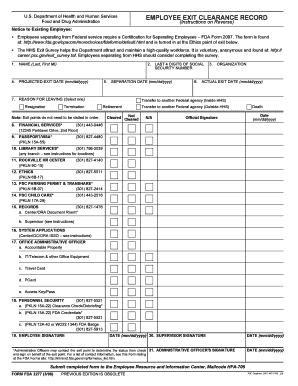
Filling out the Fda Form 2277, the Employee Exit Clearance Record, is a crucial step for employees leaving the Food and Drug Administration. This guide provides clear, step-by-step instructions to help users complete the form online efficiently.
Follow the steps to complete the Fda Form 2277 effectively.
- Click the ‘Get Form’ button to obtain the form and open it in the editor.
- Enter your name in the format of Last Name, First Name, Middle Initial in the designated field.
- Input your organization's name in the appropriate section of the form.
- Fill in the projected exit date in the format mm/dd/yyyy. This is the last date you expect to be physically present in the office.
- Provide your social security number's last four digits in the specified field.
- Document the actual exit date, which is the last date you are physically present at work, also in mm/dd/yyyy format.
- Select the reason for leaving from the options provided: resignation, termination, transfer, retirement, or death.
- Visit each exit point as marked on the form. The order does not need to be sequential; ensure to obtain the necessary signatures from relevant administrative officers.
- Provide the required signatures as needed, including your signature, administrative officer's signature, and supervisor's signature, with dates.
- Once completed, save your changes. You may download, print, or share the form as needed.
Complete your Fda Form 2277 online today to ensure a smooth exit process.
A form that must be filed by an investigator running a clinical trial to study a new drug or agent. The investigator agrees to follow the U.S. Food and Drug Administration (FDA) Code of Federal Regulations for the clinical trial.