Loading
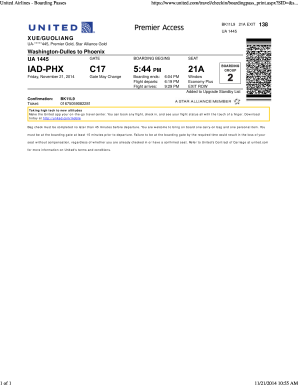
Get United Airlines Boarding Pass Template
How it works
-

Open form follow the instructions
-

Easily sign the form with your finger
-

Send filled & signed form or save
How to fill out the United Airlines Boarding Pass Template online
Filling out the United Airlines Boarding Pass Template online is an important step in ensuring a smooth travel experience. This guide provides clear and user-friendly instructions to help you navigate through the necessary fields.
Follow the steps to complete your boarding pass easily.
- Click ‘Get Form’ button to obtain the form and open it in the editor.
- Enter your confirmation number in the designated field. This number is typically included in your booking confirmation and is crucial for retrieving your flight details.
- Fill in your name as it appears on your identification. Ensure that your name is spelled correctly to avoid any discrepancies at the airport.
- Input your flight details, including departure and arrival cities, flight number, and the date of travel. This information ensures that your boarding pass corresponds with the correct flight.
- Select your seat preference if applicable. Options may include window, aisle, or exit row seats, and can influence your in-flight experience.
- Review your boarding pass summary for accuracy, including flight times and gate information.
- Once all fields are completed and verified, you can save changes, download, print, or share the boarding pass as needed.
Complete your boarding pass online for a hassle-free travel experience.
How to Add an Electronic Boarding Pass to Google Pay Tap the Add to Google Pay icon within the email or your airline's app. Take a screenshot of the boarding pass barcode, tap Add to Google Pay > Save > View boarding pass.