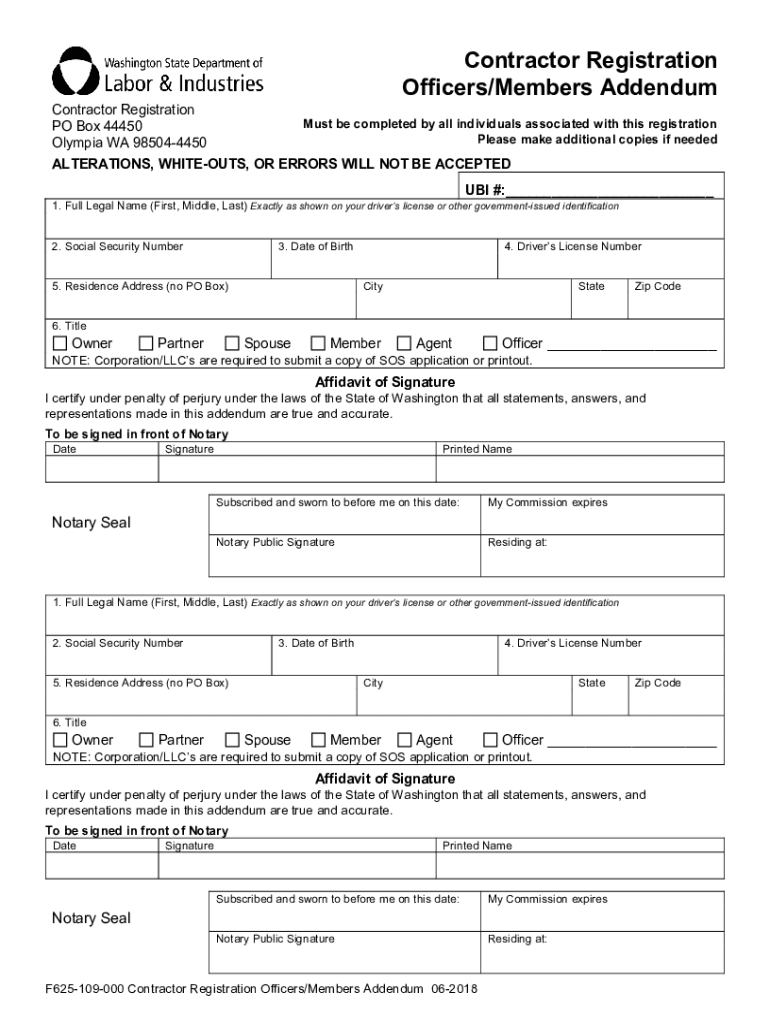
Ional copies if needed ALTERATIONS, WHITE-OUTS, OR ERRORS WILL NOT BE ACCEPTED UBI #: 1. Full Legal Name (First, Middle, Last) Exactly as shown on your driver s license or other government-issued identification 2. Social Security Number 3. Date of Birth 5. Residence Address (no PO Box) 6. Title Owner Partner 4. Driver s License Number City Spouse Member State Agent Zip Code Officer NOTE: Corporation/LLC s are required to submi.
Loading

Open form follow the instructions

Easily sign the form with your finger

Send filled & signed form or save
How to fill out the WA F625-109-000 online
This guide provides you with a detailed and supportive approach to completing the WA F625-109-000 form, commonly known as the Contractor Registration Officers/Members Addendum. This document is essential for individuals associated with contractor registrations in Washington State.
Follow the steps to fill out your WA F625-109-000 form easily.
- Click ‘Get Form’ button to obtain the form and open it in the online editor.
- Enter your full legal name in the first field. Ensure it matches exactly as shown on your driver’s license or other government-issued identification.
- Input your Social Security Number in the designated field. This information is required by law.
- Provide your date of birth in the specified area. This is a mandatory detail for registration.
- Fill in your current residence address. Note that a P.O. Box is not acceptable.
- Select your title from the options provided: Owner, Partner, Spouse, Member, Agent, or Officer. Make sure to choose accurately.
- Enter your driver’s license number or the ID number from a government-issued photo identification if you do not possess a driver’s license.
- Affirm your statements in the Affidavit of Signature section. You must certify that all information provided is accurate under penalty of perjury. This section must be signed in front of a notary public.
- Provide the date of signing and your printed name under the Affidavit of Signature.
- Have the notary public sign and seal your document, ensuring your signature is properly notarized.
- Review all entered information carefully to confirm accuracy and completeness before submission.
- Once reviewed, you can save your changes, download, print, or share the completed form as necessary.
Complete your WA F625-109-000 form online today to ensure a smooth registration process.
Experience a faster way to fill out and sign forms on the web. Access the most extensive library of templates available.
Related content
F625-001-000 Application for Construction Contractor Registration 12-2018 ... Download the...
... (F100266) 9b109f8b-cb83-4823-9c24-540b9851dd00 A&S Dean of Arts and ... (S200773)...
User's Manual (P/N 10572-1.000-000) for a complete listing of the setup ... Over-voltage...
Use professional pre-built templates to fill in and sign documents online faster. Get access to thousands of forms.
If you believe that this page should be taken down, please follow our DMCA take down process here.
This form is available in several versions. Select the version you need from the drop-down list below.