Loading
Get Fl Aig Aglc108250-fl-2015 2020-2026
How it works
-

Open form follow the instructions
-

Easily sign the form with your finger
-

Send filled & signed form or save
How to fill out the FL AIG AGLC108250-FL-2015 online
Filling out the FL AIG AGLC108250-FL-2015 form online is a straightforward process that allows users to efficiently manage their reinstatement application for life insurance. This guide provides step-by-step instructions to help you complete the form accurately and effectively.
Follow the steps to complete your form online:
- Click the 'Get Form' button to access the FL AIG AGLC108250-FL-2015 form and open it in your preferred editor.
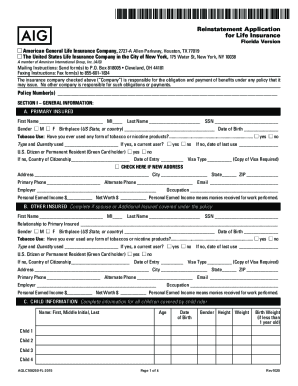
- Fill in Section I - General Information. Provide your name, social security number, and contact details. Indicate your tobacco use and citizenship status.
- Complete the Other Insured section if applicable. Provide similar information for any additional insureds, including their relationship to you.
- In the Child Information section, list all children covered under the policy, including their names, ages, and any applicable details.
- If the Primary Insured is not the Owner, fill out the Owner Information section with the required details.
- Indicate whether you are enclosing a premium payment in Section II, completing all necessary details regarding the payment.
- Answer the Background Information questions honestly for all covered persons to ensure accuracy in your application.
- Proceed to the Medical Information section. Provide relevant health information, including height, weight, and any medical conditions or treatments.
- Fill out the Special Remarks section if you have additional comments or details to share about your application.
- At the conclusion of the form, review your entries for accuracy. Once satisfied, you can save any changes, download, print, or share the completed document.
Start filling out your FL AIG AGLC108250-FL-2015 form online today to manage your life insurance reinstatement efficiently.