Loading
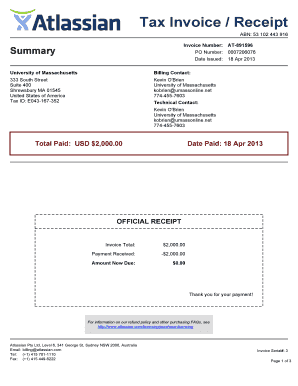
Get Tax Invoice Receipt
How it works
-

Open form follow the instructions
-

Easily sign the form with your finger
-

Send filled & signed form or save
How to fill out the Tax Invoice Receipt online
Filling out a Tax Invoice Receipt online can be a straightforward process when you understand the key components of the document. This guide provides clear, step-by-step instructions to help you complete the form accurately and efficiently.
Follow the steps to complete your Tax Invoice Receipt.
- Click ‘Get Form’ button to obtain the form and open it in the editor.
- Enter your invoice number in the designated field. This unique identifier helps track the invoice within your accounting system.
- Fill in the purchase order (PO) number if applicable. This section is for tracking purchases associated with an order.
- Set the date issued by selecting the date of the invoice creation to maintain accurate records.
- In the billing contact section, input the relevant details such as the name, address, tax ID, and contact information of the organization issuing the invoice.
- Specify the total paid amount in the designated field. Make sure this amount reflects the correct payment received for the products or services.
- Record the date paid to confirm when the payment was processed. This date is typically the same as the date issued.
- Ensure that the product details are accurately described, including quantity, product name, support entitlement number, and licensed user details.
- Verify the unit price to ensure it reflects the correct pricing for the listed items. This total will also feed into the overall invoice total.
- Finally, review all sections for accuracy before saving your changes. You can download, print, or share the Tax Invoice Receipt once completed.
Complete your Tax Invoice Receipt online today to ensure your billing processes are efficient and accurate.
Whereas invoices are a request for payment, a receipt is proof of payment. It's also important to remember that you're legally required to include much more information on an invoice than you are on a receipt.
Industry-leading security and compliance
US Legal Forms protects your data by complying with industry-specific security standards.
-
In businnes since 199725+ years providing professional legal documents.
-
Accredited businessGuarantees that a business meets BBB accreditation standards in the US and Canada.
-
Secured by BraintreeValidated Level 1 PCI DSS compliant payment gateway that accepts most major credit and debit card brands from across the globe.