Loading
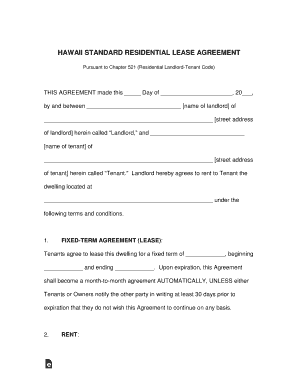
Get Hawaii Standard Residential Lease Agreement - Eforms
How it works
-

Open form follow the instructions
-

Easily sign the form with your finger
-

Send filled & signed form or save
How to fill out the Hawaii Standard Residential Lease Agreement - EForms online
Filling out the Hawaii Standard Residential Lease Agreement online can simplify the renting process for both landlords and tenants. This guide provides clear, step-by-step instructions to help you navigate each section of the agreement with confidence.
Follow the steps to complete the online lease agreement.
- Press the ‘Get Form’ button to access the lease agreement and open it in the editor.
- Begin by filling in the date at the top of the form, followed by the landlord’s name and street address. Next, input the tenant’s name and street address.
- Specify the fixed term of the lease by entering the duration, start date, and end date in the appropriate fields.
- Enter the monthly rent amount, along with the due date for rent payments.
- Indicate the form of payment you will use, such as a personal check, cashier’s check, or money order.
- Fill in the landlord’s mailing address where rent payments should be sent.
- Specify the grace period for late payments and document any applicable late fees.
- Indicate the security deposit amount and the conditions under which it will be refunded.
- Complete details related to tenant responsibilities, including cleanliness and maintenance obligations.
- Review all sections of the agreement thoroughly and make sure all fields are filled correctly.
- After ensuring all information is accurate, save, download, or print the completed form for sharing or personal records.
Start completing your lease agreement online today!
You can add an electronic signature to a Google Doc on a contract, offer letter or non-disclosure in just a few minutes.