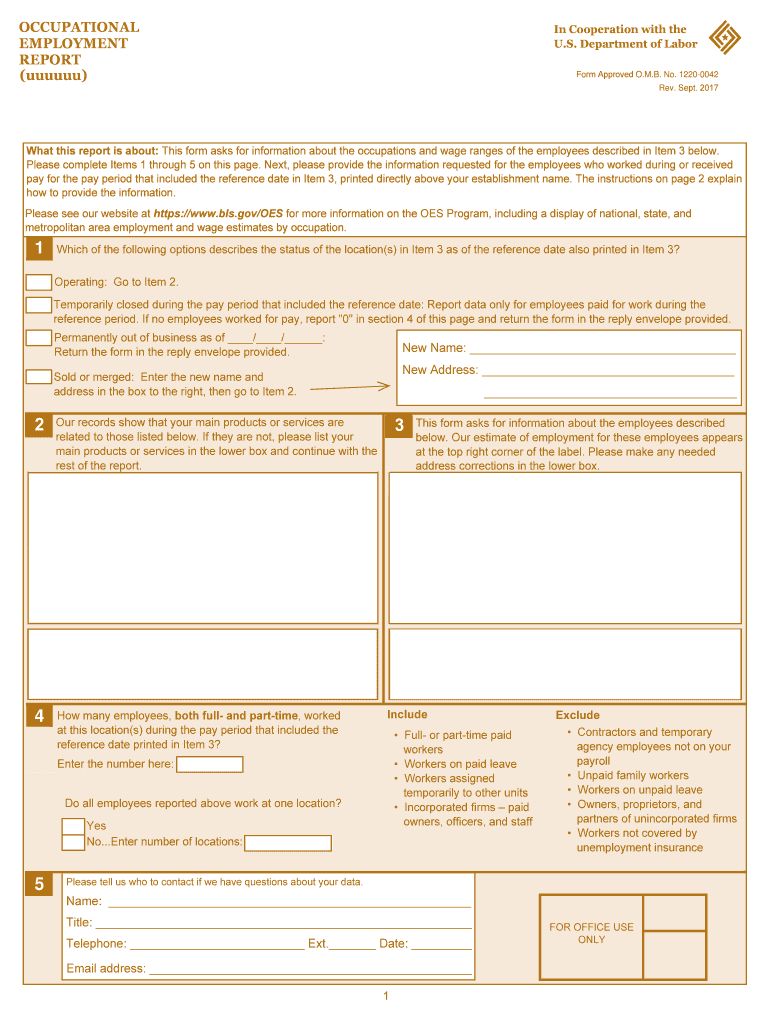
About the occupations and wage ranges of the employees described in Item 3 below. Please complete Items 1 through 5 on this page. Next, please provide the information requested for the employees who worked during or received pay for the pay period that included the reference date in Item 3, printed directly above your establishment name. The instructions on page 2 explain how to provide the information. Please see our website at https://www.bls.gov/OES for more information on the OES Program, in.
Loading

Open form follow the instructions

Easily sign the form with your finger

Send filled & signed form or save
How to fill out the DoL Occupational Employment Report online
Completing the DoL Occupational Employment Report is essential for providing accurate data about your workforce and their wages. This guide presents straightforward instructions to aid you in filling out the form online effectively.
Follow the steps to successfully complete the report.
- Press the ‘Get Form’ button to access the form and open it in your preferred online editor.
- In Item 1, indicate the status of your location as of the reference date. Choose between options such as 'Operating', 'Temporarily closed', 'Permanently out of business', or 'Sold or merged'. Follow the prompts to proceed based on your selection.
- For Item 2, confirm the number of employees—both full-time and part-time—who worked during the specified pay period. Enter the total number of employees in the provided field.
- In Item 3, if applicable, respond to whether all employees work at one location and, if not, indicate the number of locations.
- Fill in Items 4 and 5 with the new name and address if your business was sold or merged. This ensures accurate record-keeping.
- For reporting employees, accurately describe the occupations, including job titles and descriptions of duties. This helps ensure proper classification.
- Report wage information for each employee in the appropriate sections. Use hourly and annual wage rate categories, and ensure to convert wages if they are recorded on a different schedule.
- Once all required fields are completed, you can save your changes, download, print, or share the form as needed.
Complete your forms online for streamlined document management.
Experience a faster way to fill out and sign forms on the web. Access the most extensive library of templates available.
Related content
The Occupational Employment and Wage Statistics (OEWS) program produces employment and...
The Occupational Outlook Handbook is the government's premier source of career guidance...
The Occupational Employment Statistics (OES) survey is a semi-annual survey of...
Use professional pre-built templates to fill in and sign documents online faster. Get access to thousands of forms.
If you believe that this page should be taken down, please follow our DMCA take down process here.
This form is available in several versions. Select the version you need from the drop-down list below.