Loading
Get Cityfheps Landlord Forms
How it works
-

Open form follow the instructions
-

Easily sign the form with your finger
-

Send filled & signed form or save
How to fill out the CityFHEPS landlord forms online
Filling out the CityFHEPS landlord forms online can streamline the rental assistance process. This guide provides clear and step-by-step instructions to help you complete the forms accurately and efficiently.
Follow the steps to fill out the CityFHEPS landlord forms online.
- Use the ‘Get Form’ button to access the CityFHEPS landlord forms and open them in your online editor.
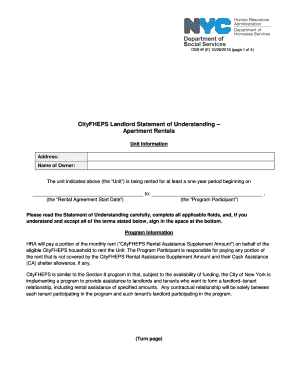
- Begin by entering the address of the unit in the designated field to provide information about the rental property.
- Next, fill in the name of the owner of the unit. Ensure accuracy, as this information is essential for processing the form.
- Indicate the rental agreement start date by filling in the date the unit will begin to be rented. This information establishes the timeline for the agreement.
- Designate the program participant by entering their name. This person is responsible for the rent payments that are not covered by assistance.
- In the landlord information section, select from the options provided to indicate your role regarding the unit — whether you are the owner, a registered managing agent, or authorized on behalf of the owner.
- Complete the payment information section by providing the name to which checks should be payable and the relationship of the payee to the owner.
- Fill in any additional payment details, such as the payee's phone number and mailing address for the checks.
- Choose the duration of rental assistance from the options provided: either three months or eleven months.
- Review the landlord requirements section carefully, affirming your understanding and acceptance by checking the necessary boxes and providing any required documentation.
- Finally, sign and date the form where indicated. This confirms that you have read and agree to the terms outlined in the document.
- Once completed, save your changes, and you may choose to download, print, or share the form as needed.
Complete your CityFHEPS landlord forms online today for a smoother rental process.
The Special One-Time Assistance Program (SOTA) The SOTA program provides one year's full rent up front for eligible DHS clients to move within New York City, to other New York State counties, or outside of New York State. SOTA can be accessed by working individuals and families and those who receive SSI, SSD, etc.