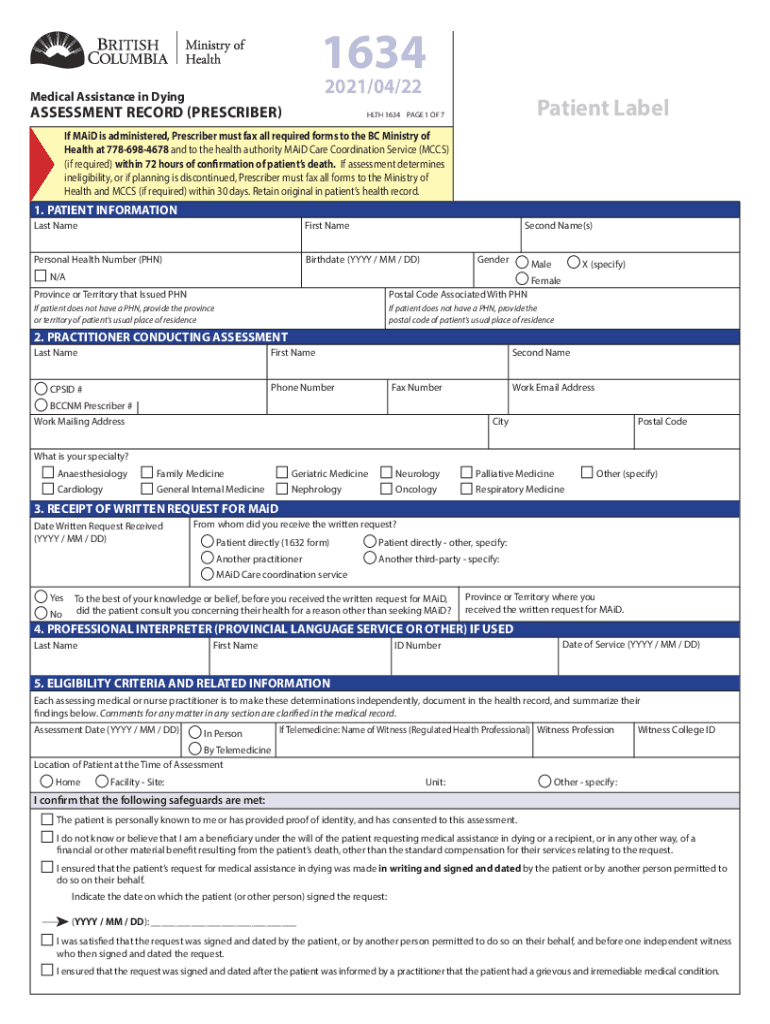
1634 2021/04/22Medical Assistance in DyingASSESSMENT RECORD (PRESCRIBER)Patient LabelHLTH 1634 PAGE 1 OF 7If MAiD is administered, Prescriber must fax all required forms to the BC Ministry of Health.
Loading

Open form follow the instructions

Easily sign the form with your finger

Send filled & signed form or save
How to fill out the Canada HLTH 1634 online
This guide provides clear and supportive instructions on how to properly fill out the Canada HLTH 1634 form, known as the Medical Assistance in Dying assessment record. With step-by-step guidance, users can navigate each section effectively.
Follow the steps to efficiently complete the HLTH 1634 form.
- Press the ‘Get Form’ button to access the HLTH 1634 assessment record and open it in your preferred editor.
- Begin by entering the patient information required in the first section. This includes details such as last name, first name, personal health number, birthdate, gender, and the province or territory that issued the health number.
- In the next section, provide the information of the practitioner conducting the assessment, including their name, contact details, and professional identifiers.
- Document the receipt of the written request for medical assistance in dying. Include the date the request was received and from whom, noting whether the patient consulted regarding their health for reasons other than seeking MAiD.
- If a professional interpreter was used, fill in their details in the respective section, including the date of service.
- Move on to the eligibility criteria. Independently assess and note whether the patient meets the specified criteria related to their medical condition and consent.
- Complete the conclusion section. Indicate whether the patient meets all criteria for medical assistance in dying or if they are deemed ineligible, providing a reason if applicable.
- Before finalizing the document, ensure all signatures are collected and dates are noted where required. This includes practitioner signatures and any necessary patient consent.
- After filling out all sections, save your changes, download, print, or share the completed form as needed.
Complete your documents online today!
Experience a faster way to fill out and sign forms on the web. Access the most extensive library of templates available.
Related content
by CA Cott · 2016 · Cited by 4 — Commonalities and differences in the implementation...
by PJ Donahue · 1998 · Cited by 18 — clear because discussion of the Canadian health...
DateONNewCmlJan 25, 2020111Jan 261Jan 27112View 605 more rows
Use professional pre-built templates to fill in and sign documents online faster. Get access to thousands of forms.
If you believe that this page should be taken down, please follow our DMCA take down process here.