STATECFCALIFORNIAc::1c aBUSINESS, CONSUMER SERVICES AND HOUSING AGENCY GAVIN NEWSOM, GOVERNORBOARD OF REGISTERED NURSINGDEPARTMENT OF CONSUMER AFFAIRSPO BOX 944210, Sacramento, CA 942442100 P (916).
Loading

Open form follow the instructions

Easily sign the form with your finger

Send filled & signed form or save
How to fill out the CA DCA BRNPROB113 online
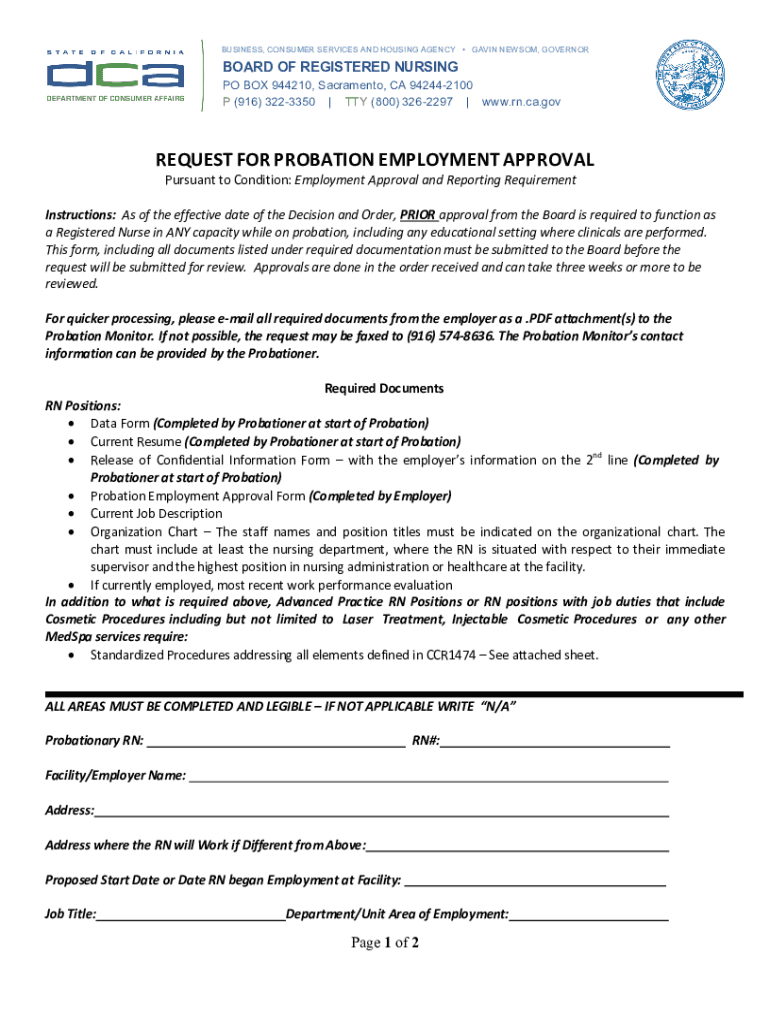
The CA DCA BRNPROB113 form is a crucial document for registered nurses on probation seeking employment approval. This guide provides clear, step-by-step instructions to help users complete the form accurately and efficiently.
Follow the steps to fill out the CA DCA BRNPROB113 form online.
- Click the ‘Get Form’ button to obtain the CA DCA BRNPROB113 form and open it in your preferred online editor.
- Begin by entering the probationary RN number in the designated field. Ensure this information accurately reflects the RN's registered number.
- Fill in the facility or employer's name, followed by the complete address. If the work address differs from the employer's address, provide that information in the specified section.
- Indicate the proposed start date or the date the RN commenced their employment at the facility. This helps track the employment timeline.
- Complete the job title section, making sure it reflects the RN's position accurately.
- Provide details of the department or unit area of employment where the RN will work.
- Specify the length of shifts in hours and select the applicable shift (days, evenings, or nights).
- Indicate whether the position requires on-call duty. If so, provide a brief explanation of the on-call responsibilities.
- Address the orientation section for new employment, describing the type and duration of the orientation to ensure the RN's competency.
- List the names and titles of the department manager or supervisor, along with their contact details. This information is essential for verifying employment.
- Provide the names and license numbers of any individuals proposed for supervision of the probationary RN. Note that these supervisors must not have a conflict of interest with the RN.
- Complete the acknowledgment section by having an authorized person initial the required statements, confirming understanding of the RN's probationary status.
- Review all entries for accuracy and legibility. If any section does not apply, write 'N/A' where required.
- Save your changes, and download, print, or share the completed CA DCA BRNPROB113 form as needed for submission.
Start completing your CA DCA BRNPROB113 form online today to ensure timely employment approval.
Experience a faster way to fill out and sign forms on the web. Access the most extensive library of templates available.
Related content
Application for California Public Health Nurse Certificate · Application for Clinical...
Use professional pre-built templates to fill in and sign documents online faster. Get access to thousands of forms.
If you believe that this page should be taken down, please follow our DMCA take down process here.