Loading
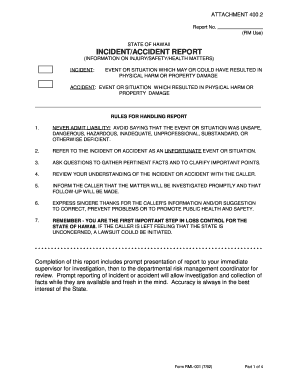
Get Doe Incident Report
How it works
-

Open form follow the instructions
-

Easily sign the form with your finger
-

Send filled & signed form or save
How to fill out the Doe Incident Report online
The Doe Incident Report is a crucial document for recording incidents that may result in physical harm or property damage. This guide provides a step-by-step approach to completing the form effectively online, ensuring accurate and timely reporting.
Follow the steps to complete the Doe Incident Report online.
- Click ‘Get Form’ button to access the Doe Incident Report and open it for editing.
- Fill in the report number in the designated field as specified by your organization.
- Enter the date you received the report in the 'Date Received' field.
- Provide your name in the 'Person Recording Information' section.
- Document the name of the caller along with their address and phone number.
- Specify the date and time of the incident, noting whether it is a.m. or p.m.
- Describe what happened and how it occurred in the 'What happened and how?' section.
- Indicate the location of the incident, including the building name and specific address.
- State the likely cause of the incident by describing the object, equipment, or substance involved.
- List any witnesses, including their names, addresses, and phone numbers.
- After completing all relevant sections, ensure that you review your entries for accuracy.
- Save your changes, and you may choose to download, print, or share the completed form as necessary.
Complete your Doe Incident Report online today to ensure effective documentation of incidents.
Get form
Experience a faster way to fill out and sign forms on the web. Access the most extensive library of templates available.
All incidents, near-misses and injuries should be reported immediately. The incident reporting process will determine the follow-up required, if any. The employee should not have to make a guess as to whether “their issue or incident” is worthy of an incident report. When in doubt, file an incident report.
Get This Form Now!
Use professional pre-built templates to fill in and sign documents online faster. Get access to thousands of forms.