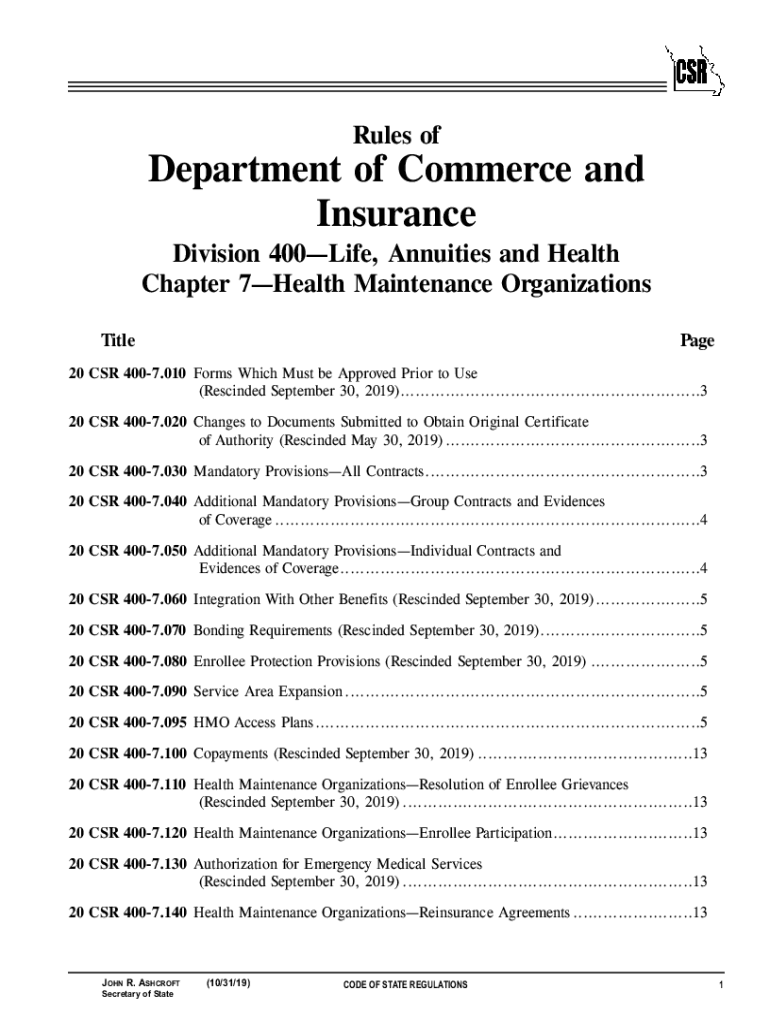
500 RSMo and any other applicable law. RSMo 1986. Original rule filed April 14 1992 effective Feb. 26 1993. 485 RSMo and implements section 354. 420 RSMo. A Enrollee means an individual who is covered by a health maintenance organization HMO. 3 Refunds. An HMO shall refund any premium payment net of copayments due made to cover the period after disenrollment. 4 Copayment Notification. Upon request an HMO shall inform an enrollee if s/he has reached his/her copayment maximum. HMO must use its true name for its certificate of authority to conduct business as an HMO in this state. 615 RSMo Supp. 1997. Original rule filed Nov. 3 1997 effective May 30 1998. 1997 354. 603 RSMo 1997 and 354. C Disenrollment means a health maintenance organization s HMO termination of an enrollee s eligibility for service. The enrollee also must receive written notice from the HMO stating the disenrollment will occur unless arrangements for payment of the copayment are made within ten 10 working days after rec....

Open form follow the instructions

Easily sign the form with your finger

Send filled & signed form or save
How to fill out the MO 20 CSR 400-7 online
Filling out the MO 20 CSR 400-7 form online can be a straightforward task if you follow these clear instructions. This guide will help you through each section of the form, ensuring you provide all necessary information accurately.
Follow the steps to complete the form online effectively.
- Click the ‘Get Form’ button to obtain the form and open it in the online editor.
- Start with Section 1, where you must provide your personal information. Make sure to include your full name, contact information, and the address associated with your organization.
- In Section 2, enter details about your health maintenance organization (HMO). Include the name, type, and any licensing information required.
- Proceed to Section 3, where you will indicate the type of contracts your HMO offers. Provide descriptions and specify mandatory provisions as required.
- In Section 4, detail the enrollee protection provisions your HMO complies with. This section ensures users understand their rights and protections.
- Review all the information you have entered for accuracy and completeness. Confirm that every section and field has been filled out appropriately.
- Once you have completed the form, you can save any changes, download the document, or print it for your records. Ensure to share with any required parties if necessary.
Start completing your MO 20 CSR 400-7 online today!
Experience a faster way to fill out and sign forms on the web. Access the most extensive library of templates available.
Related content
Oct 31, 2019 — 19,. 2018, effective May 30, 2019. 20 CSR 400-7.030 Mandatory...
by NJ Edison · 2006 — 10 CSR 10.6.065(2)(C) Voluntary Limitation . ... atmosphere from...
Lamp Type: 17=17W T8 24"; 20=20W TS T12 24"; 32=32W T8 48"; ... MVK-0400S-268 65630 400...
Use professional pre-built templates to fill in and sign documents online faster. Get access to thousands of forms.
If you believe that this page should be taken down, please follow our DMCA take down process here.