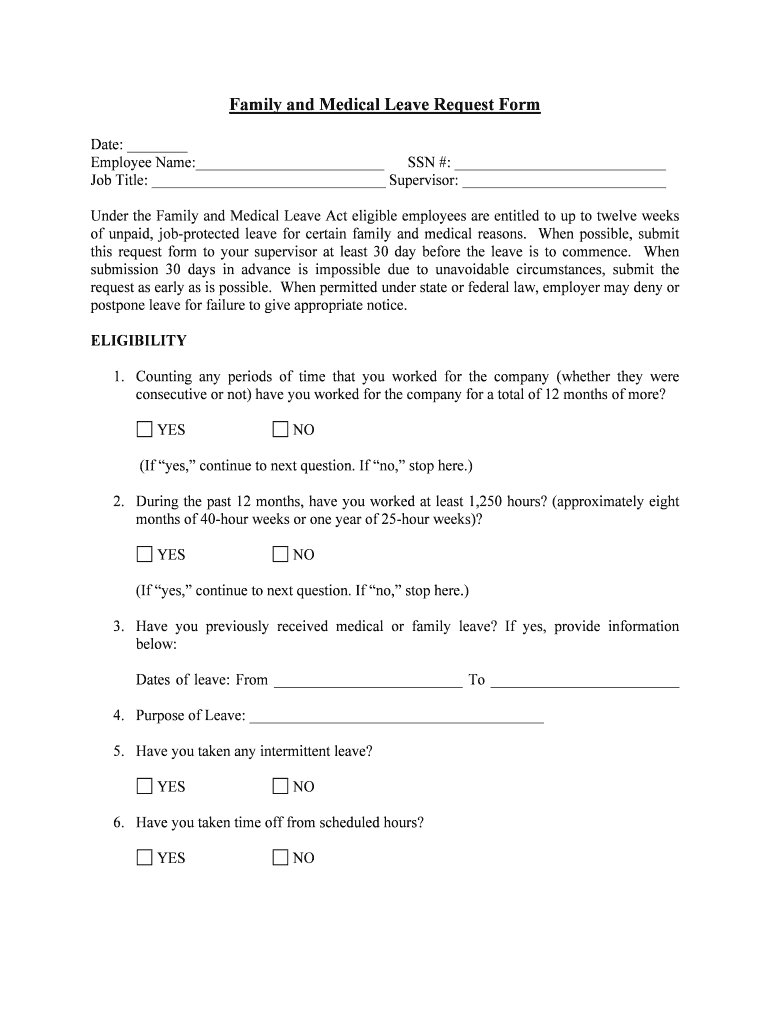
Family and Medical Leave Request Form Date: Employee Name: SSN #: Job Title: Supervisor: Under the Family and Medical Leave Act eligible employees are entitled to up to twelve weeks of unpaid, jobprotected.
Loading

Open form follow the instructions

Easily sign the form with your finger

Send filled & signed form or save
How to fill out the Family Medical Leave Application online
Filling out the Family Medical Leave Application is an essential step for eligible employees seeking leave for family and medical reasons. This guide provides a comprehensive overview of how to complete the application form online, ensuring clarity and support throughout the process.
Follow the steps to successfully complete your application online.
- Press the ‘Get Form’ button to obtain the Family Medical Leave Application form and open it in your preferred digital editor.
- Enter the date at the top of the form to indicate when you are submitting your request.
- Fill in your full name in the designated ‘Employee Name’ field.
- Provide your Social Security Number (SSN) in the appropriate section.
- Specify your job title by writing it clearly in the ‘Job Title’ field.
- Write the name of your supervisor in the designated area.
- Complete the eligibility section by responding to the questions regarding your time worked and hours logged.
- If applicable, provide the dates of any previous medical or family leave you have taken.
- Indicate the purpose of your leave by selecting the appropriate reason and filling in any required details.
- If requesting intermittent leave or a reduced schedule, provide the specific details in the given sections.
- Enter the dates from which you are requesting leave and fill in any relevant information regarding your leave schedule.
- Complete the employee statement section by agreeing to return to work on the specified date and acknowledging your responsibilities during leave.
- Finally, save your changes, and download, print, or share the form as necessary.
Take action today and complete your Family Medical Leave Application online.
Experience a faster way to fill out and sign forms on the web. Access the most extensive library of templates available.
Related content
Apply now · 1. Create your account. · 2. Fill out the online application that applies to...
An FMLA leave of absence is a leave without pay. Paid leave (using accrued sick time or...
FOR FAMILY AND MEDICAL LEAVE. This form must be completed by a Health Care Provider when...
Get answers to your most pressing questions about US Legal Forms API.
How to apply for FMLA in Florida?
Applying for FMLA The employee's health care provider must complete a certification form that validates the employee's serious health condition or that of an immediate family member. The employee must provide this certification to the employer within 15 calendar days of receiving it.
Can you take both FMLA and Njfla?
Depending on individual circum- stances, FMLA & NJFLA can be used concurrently (if the individual qualifies for both at the same time) or consecutively. FMLA may be used for self-care followed by NJFLA for family care.
Is FMLA the same as HFLL?
Unlike the federal FMLA, there is no requirement in the HFLL that an employee work a minimum number of hours within the six-month period. Consecutive employment means continuous employment with no break in service, such as by resignation, termination or layoff.
How to apply for FMLA in NY?
To apply for leave under FMLA, contact the personnel office of your employer agency. If eligible and approved, the personnel office will provide to the Fund's administrative office the appropriate information for continuation of Fund benefits.
Do you get paid on FMLA Florida?
Unpaid, unless you have accrued leave credits (regardless of whether you qualify for short-term disability or Workers' Compensation benefits). As long as you return to work at or before the end of the allowed leave, you will return to your former position or one that is equivalent in terms of benefits, pay and status.
How do I apply for FMLA in Mass?
Begin by speaking with your employer about when you need to take leave. Try to provide at least 30 days notice before your official start date, if possible. Then, you can create an account on paidleave.mass.gov and apply online.
What is the difference between FMLA and NJ FLA?
The NJFLA allows people to take 12 weeks off from work in 24 months, while the FMLA allows employees to take 12 weeks off from work in 12 months.
What is the difference between FMLA and FLA?
While the FMLA only applies to employers who employ 50 or more employees within a 75 mile radius of the employee requesting leave, 29 C.F.R. 2611(4)(A), the FLA applies to employers with at least 30 employees even if some of those employees work out-of-state or more than 75 miles away from the requesting employee.
Use professional pre-built templates to fill in and sign documents online faster. Get access to thousands of forms.
If you believe that this page should be taken down, please follow our DMCA take down process here.