Loading
Get Dliq
How it works
-

Open form follow the instructions
-

Easily sign the form with your finger
-

Send filled & signed form or save
How to fill out the Dliq online
Filling out the Dliq learning log is an essential process for reflecting on classroom content. This guide will provide clear, step-by-step instructions to help you navigate the form effortlessly.
Follow the steps to complete your Dliq learning log online.
- Press the ‘Get Form’ button to acquire the Dliq learning log and open it in your preferred editor.
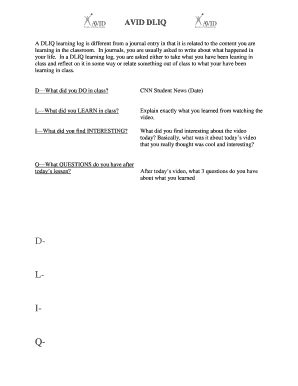
- In the 'D' section, describe what you did in class. Be specific about the activities and discussions that took place during the session.
- In the 'L' section, articulate what you learned from the lesson. Provide a detailed explanation of the concepts or information you absorbed.
- In the 'I' section, share what you found interesting about the lesson or video presented. Highlight aspects that sparked your curiosity or engaged your attention.
- In the 'Q' section, formulate three questions you have after the lesson. These should be inquiries that arise from the content you studied and seek further clarification.
- After completing all sections of the form, you can save changes, download, print, or share your Dliq learning log.
Complete your Dliq learning log online today for effective learning reflection!
A DLIQ is a reflection tool used at the end of a lesson to demonstrate students' learning. D – What did you do during your lesson? L – What is something you learnt? I – What did you find interesting? Q – What questions do you still have about this topic?