Loading
Get Triunfo Ymca Summer Camp Registration Form 2018-2026
How it works
-

Open form follow the instructions
-

Easily sign the form with your finger
-

Send filled & signed form or save
How to fill out the Triunfo YMCA Summer Camp Registration Form online
Filling out the Triunfo YMCA Summer Camp Registration Form online can streamline the registration process for parents and guardians. This guide provides clear, step-by-step instructions to ensure you accurately complete each section of the form, making it easier to secure a spot for your child in the summer camp program.
Follow the steps to complete the registration form with ease.
- Click the ‘Get Form’ button to download the registration document and open it for editing.
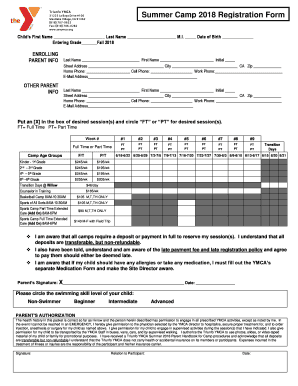
- Begin by entering your child's first name, last name, middle initial, and date of birth. Also, indicate the grade they will be entering in Fall 2018.
- Next, fill in the parent information. Include the last name, first name, initials, street address, city, zip code, and phone numbers.
- Repeat the previous step for the other parent's information, if applicable.
- Select the desired camp sessions by putting an ‘X’ in the appropriate boxes and circling either 'FT' for full-time or 'PT' for part-time as needed for each week.
- Specify any allergies or medications your child may have in the provided space and be sure to understand the requirements for submitting a separate medication form.
- Circle the swimming skill level of your child. Options include non-swimmer, beginner, intermediate, and advanced.
- Read the parental authorization and ensure you agree with the permissions granted in case of emergencies.
- Sign and date the document, ensuring your child's information is accurate before submission.
- After completing the form, you can save your changes, download a copy for your records, print it, or share it as needed.
Complete the Triunfo YMCA Summer Camp Registration Form online today to secure your child's spot!