Loading
Get Au Djag 019 2021-2026
How it works
-

Open form follow the instructions
-

Easily sign the form with your finger
-

Send filled & signed form or save
How to fill out the AU DJAG 019 online
The AU DJAG 019 form is essential for individuals applying for a blue or exemption card in Queensland. This guide provides clear, step-by-step instructions to help you complete the form accurately and efficiently.
Follow the steps to successfully complete your application.
- Click the ‘Get Form’ button to obtain the AU DJAG 019 form and access it in your preferred online editor.
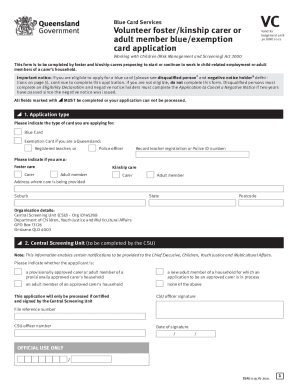
- Begin by selecting the application type. Indicate whether you are applying for a Blue Card or an Exemption Card and provide your registered teacher or police officer identification number if applicable.
- Next, specify your role by indicating whether you are a foster carer, kinship carer, or an adult member of a carer's household. Make sure to fill out all fields marked with an asterisk (*) as completion of these fields is necessary for processing.
- Fill out your address where care will be provided, including the suburb, state, and postcode.
- In the Central Screening Unit section, ensure you complete the relevant information regarding your application status—whether you are a provisional carer or an adult member of a household in the approval process.
- Proceed to the Declaration of department representative section, where an authorized representative must verify the identity of the applicant and confirm their eligibility for the application.
- Provide proof of identity. Attach a certified copy of an acceptable identification document or a Customer Reference Number confirmation letter as instructed. This document must be verified by an authorized official.
- Complete the personal details section, providing your full legal name, date of birth, gender, cultural identity, and any previous names if applicable. Make sure to double-check for accuracy.
- Fill out your current contact details, including your postal and residential addresses, as well as your telephone and email contact information.
- Finally, read and complete the declaration at the end of the form, ensuring that you understand the consequences of providing inaccurate information. Sign and date the form.
- Once all sections are complete, save your changes, download a copy of the form, and print it if necessary. You may also share the application with the designated parties as required.
Take action and complete your application online today.