Loading
Get Approved Exception To Sf 171 Omb No
How it works
-

Open form follow the instructions
-

Easily sign the form with your finger
-

Send filled & signed form or save
How to use or fill out the Approved Exception To SF 171 OMB No online
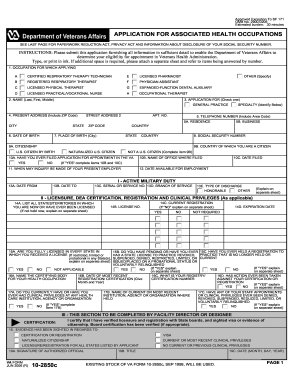
Filling out the Approved Exception To SF 171 OMB No is a crucial step for individuals seeking appointment in Veterans Health Administration. This guide provides a clear, step-by-step approach to assist users in completing the form accurately and efficiently.
Follow the steps to fill out the form correctly
- Click ‘Get Form’ button to obtain the form and open it in the editor.
- In section 1, select the occupation for which you are applying by checking the appropriate box from the listed options.
- Ensure to fill in your full name in section 2—last, first, and middle. Include your present address in section 4, ensuring to provide the correct ZIP code.
- In section 5, provide your telephone number, indicating both residence and business numbers.
- Enter your date of birth in section 6 and place of birth in section 7 to finalize your personal information.
- You will be required to provide your social security number in section 8 and indicate your citizenship status in section 9.
- Section 10 asks if you have ever filed an application for appointment in the VA; be truthful and provide additional details if applicable.
- Complete sections on military service, licensure, and insurance as indicated to further ensure your application is comprehensive.
- Fill out the sections regarding your education and professional experience in sections 22 through 26.
- Lastly, review all filled information for accuracy before signing in section 38A, with the date below your signature.
- Once you complete the form, save your changes, and prepare to download, print, or share the document as needed.
Complete the Approved Exception To SF 171 OMB No online today to ensure your eligibility for appointment!
Related links form
Flexible Benefits Accounts - State Of Illinois - State Il
Effective Immediately, Illinois Supreme Court Rules 2, 12, 13, 104, 110, 131, 132,
TC68R04-2 Recapt Of Id Incent ITC 6-18-04 Route4zap. TC68R04-2 Recapt Of Id Incent ITC 6-18-04
CFS 483-1 Caregiver Permanency Planning Checklist - Illinois.gov
The Standard Form 171, a.k.a. SF-171 is a form completed by those who want to apply in the public office. It assists job seekers who are applying for a new position. Most employers will consider your candidacy based on this form.