Loading
Get Dd Form 13
How it works
-

Open form follow the instructions
-

Easily sign the form with your finger
-

Send filled & signed form or save
How to fill out the Dd Form 13 online
Filling out the Dd Form 13 can be a straightforward process if you approach it step by step. This guide will provide you with detailed instructions to help you complete the form effectively and efficiently online.
Follow the steps to successfully complete the form.
- Click 'Get Form' button to obtain the form and open it in the editing platform.
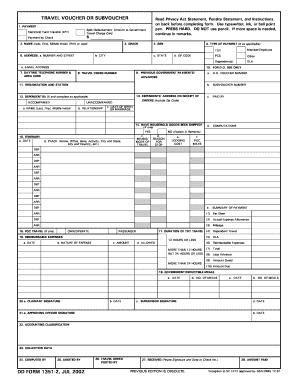
- Begin with Section 1, where you will provide payment information. Enter the amount to be disbursed to the Government Travel Charge Card and the amount to be paid by check, if applicable.
- In Section 2, enter your name, including your last name, first name, and middle initial in the designated fields. This should be printed or typed clearly.
- Complete Section 3 by specifying your grade and Section 4 by entering your Social Security Number (SSN).
- In Section 5, indicate the type of payment by marking the appropriate box (e.g., Member/Employee, TDY). Following this, provide your address in Section 6, detailing the street address, city, state, and ZIP code.
- Enter your daytime telephone number and area code in Section 7, followed by any previous government payments or advances in Section 9 and your travel order number in Section 8.
- Section 11 requires you to fill in your organization and station, while Section 13 asks for dependents' address on receipt of orders.
- In Section 14, answer whether household goods have been shipped by marking 'Yes' or 'No'. If 'Yes', provide any necessary explanations in the remarks section.
- For Section 15, detail your itinerary, including travel dates, places, means/mode of travel, reasons for stops, and lodging costs.
- Section 18 requires you to list reimbursable expenses with corresponding dates, nature of the expense, amount, and whether they were allowed.
- Complete Sections 20 to 27 with signatures, dates, and accounting classifications as required. Ensure all fields are accurately filled.
- Finally, review and confirm all information entered. Save changes, download, print, or share the form as necessary.
Complete your Dd Form 13 and manage your documents online today.
What is a DD Form 2058 and what is it used for? The DD Form 2058, State of Legal Residence Certificate, can be found in the Finance Office and is used by the Defense Finance and Accounting Service (DFAS) to indicate that you have changed your domicile for military pay purposes.