Loading
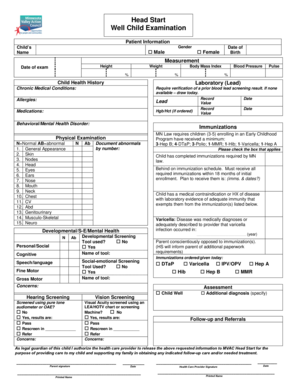
Get Well Child Examination
How it works
-

Open form follow the instructions
-

Easily sign the form with your finger
-

Send filled & signed form or save
How to fill out the Well Child Examination online
Completing the Well Child Examination form online is crucial for ensuring the health and wellness of your child. This guide will walk you through each section of the form, providing clear and supportive instructions to help you navigate the process effectively.
Follow the steps to successfully fill out the Well Child Examination form.
- Click ‘Get Form’ button to obtain the form and open it in the editor.
- In the patient information section, enter the child's name, date of birth, and select their gender by marking the appropriate box.
- Record the date of the examination, and fill in the child's height, weight, and calculate their body mass index.
- For laboratory screenings, mark whether a prior blood lead screening result is available or if it should be drawn today. Enter the relevant dates and values for lead and hemoglobin/hematocrit if ordered.
- Document any allergies, medications, and any behavioral or mental health disorders the child may have.
- In the immunizations section, indicate if the child has completed the immunizations required by state law, is behind on their immunization schedule, or has a medical exemption. Specify any applicable immunizations and corresponding dates.
- Under developmental and social-emotional assessments, check if any screening tools were used and provide their names as necessary.
- Complete the physical examination section by providing observations around normal and abnormal findings across various health parameters.
- Enter the results of hearing and vision screenings, marking pass, rescreen, or refer as applicable, and noting any concerns.
- Finally, ensure that the legal guardian's authorization is provided by filling in the signature, date, and printed name fields, as well as the health care provider's signature.
- Review the completed form for accuracy, then save changes, download, print, or share the form as needed.
Get started by filling out your Well Child Examination form online today.
An example of anticipatory guidance would be a discussion on ambulation of an infant with a warning about possible tooth trauma that often occurs as the infant learns to stand and walk.