Loading
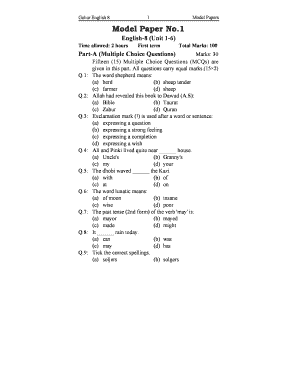
Get Gohar English 8
How it works
-

Open form follow the instructions
-

Easily sign the form with your finger
-

Send filled & signed form or save
How to fill out the Gohar English 8 online
Filling out the Gohar English 8 form online can enhance your educational experience by making it easier to access and complete important assignments. This guide will provide you with clear and concise steps to ensure that you complete the form accurately and efficiently.
Follow the steps to successfully complete the Gohar English 8 form.
- Click the ‘Get Form’ button to obtain the Gohar English 8 form and open it in the online editor.
- Begin with Part A, where you will answer the Multiple Choice Questions (MCQs). For each question, select the correct answer by clicking on the corresponding option. Remember, each question carries equal marks.
- Proceed to Part B, which contains Open Ended Questions. Read each question carefully and provide thorough responses. Make sure to address all parts of the question as necessary.
- After you have completed both parts of the form, review your answers to verify the accuracy and completeness of your information.
- Once you are satisfied with your responses, you can save the changes you have made. You have the option to download or print the form directly from the online editor, or share it with others if required.
Start filling out your documents online today to streamline your academic workload!