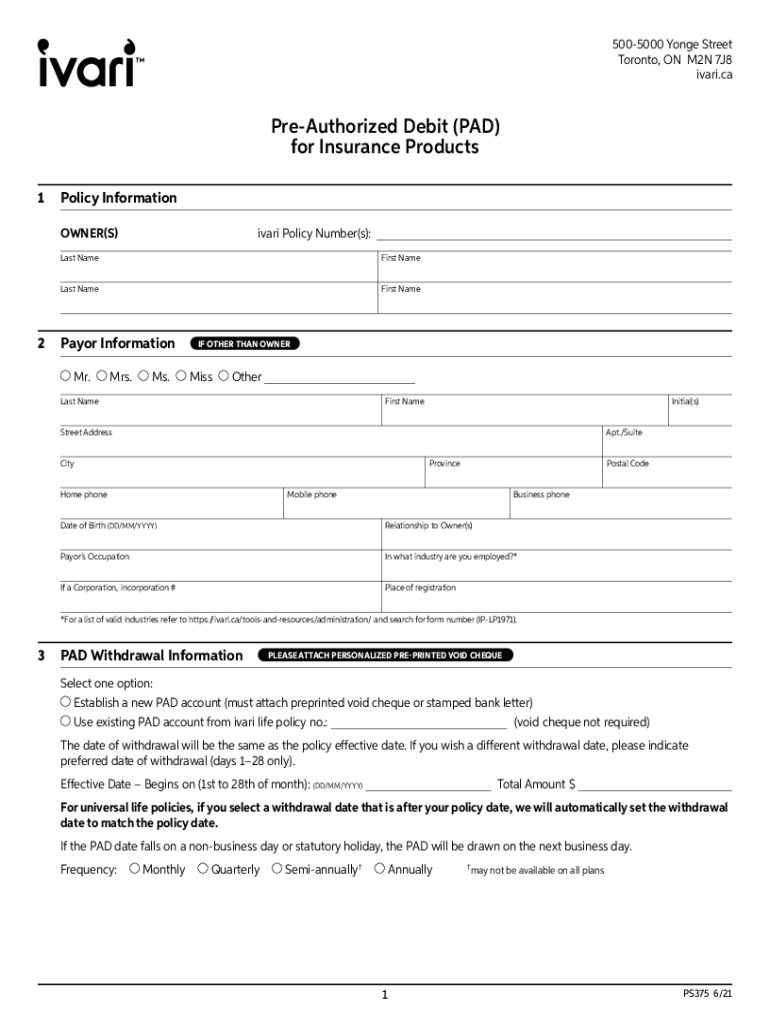
5005000 Yonge Street Toronto, ON M2N 7J8 ivari.caPreAuthorized Debit (PAD) for Insurance Products 1Policy Information OWNER(S)ivari Policy Number(s):Last NameFirst NameLast NameFirst Name2Payor Information.
Loading

Open form follow the instructions

Easily sign the form with your finger

Send filled & signed form or save
How to fill out the Canada Ivari PS375 online
The Canada Ivari PS375 is a crucial document for authorizing pre-authorized debit withdrawals for insurance products. This guide aims to provide clear, step-by-step instructions to assist you in completing the form accurately and efficiently.
Follow the steps to successfully fill out the Canada Ivari PS375 form online.
- Press the ‘Get Form’ button to access the document and open it in your preferred editor.
- Begin by entering the policy information in the designated section. Provide the ivari policy number. Include the last and first names of the owners.
- In the payor information section, fill in the personal details for the payor, including last name, first name, initial(s), street address, apartment/suite number, city, province, postal code, and contact numbers.
- Indicate the date of birth of the payor in the format DD/MM/YYYY and describe their relationship to the owners. Also, state the payor’s occupation and the industry they are employed in.
- Next, select the option for the PAD withdrawal information. Choose whether to establish a new PAD account or use an existing one. If starting a new account, remember to attach a personalized pre-printed void cheque.
- Specify the preferred date of withdrawal, ensuring it falls between the 1st and 28th of the month, and enter the total amount for the withdrawal.
- Select the frequency of the withdrawals from the available options: monthly, quarterly, semi-annually, or annually as allowed in your plan.
- In the acknowledgement/authorization section, read the terms carefully and ensure you understand the conditions of the layout. You will need to sign and print your name, along with the date.
- If there is more than one owner or a payor, repeat the signature section for each individual involved on the form.
- Once you have completed all fields, ensure to save any changes made to the form. You can then download, print, or share the completed form as necessary.
Complete your Canada Ivari PS375 form online today!
Experience a faster way to fill out and sign forms on the web. Access the most extensive library of templates available.
Use professional pre-built templates to fill in and sign documents online faster. Get access to thousands of forms.
If you believe that this page should be taken down, please follow our DMCA take down process here.