Loading
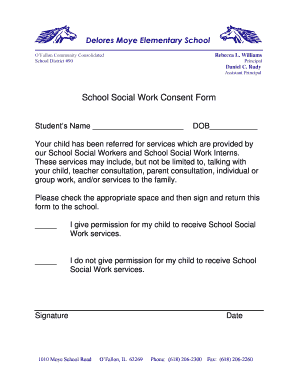
Get School Social Work Consent Form - District 90
How it works
-

Open form follow the instructions
-

Easily sign the form with your finger
-

Send filled & signed form or save
How to fill out the School Social Work Consent Form - District 90 online
Filling out the School Social Work Consent Form is an essential step in enabling your child to receive the necessary support and services. This guide will provide you with clear, step-by-step instructions to complete the form accurately and efficiently online.
Follow the steps to complete the form correctly.
- Click the ‘Get Form’ button to access the School Social Work Consent Form and open it in your document editor.
- Locate the section to enter your child's name and write the full name of your child in the provided space.
- Find the date of birth field and fill in your child's date of birth in the specified format.
- Review the description of the services provided by the School Social Workers and School Social Work Interns to understand what assistance your child will receive.
- In the permission section, check the box indicating whether you give or do not give permission for your child to receive School Social Work services.
- Sign the document in the designated signature area to confirm your decision.
- Enter the date on which you are signing the form to ensure it is timestamped accurately.
- After completing all sections, save the changes to the document. You may also choose to download, print, or share the completed form as necessary.
Complete your School Social Work Consent Form online today and ensure your child receives the support they need.
The consent form must include: A statement that the study involves research. ... Purpose of the research. ... Procedures. ... Risks or discomforts to the subject. ... Benefits of the research to the subject. ... Treatment Alternatives. ... Costs of Participation. ... Confidentiality.