Loading
Get Official Form 410a
How it works
-

Open form follow the instructions
-

Easily sign the form with your finger
-

Send filled & signed form or save
How to fill out the Official Form 410a online
Filling out the Official Form 410a is an important step in making a claim for payment in a bankruptcy case. This guide will provide clear, step-by-step instructions to help you complete the form accurately and efficiently, ensuring you understand each section and field.
Follow the steps to complete Official Form 410a online
- Click ‘Get Form’ button to obtain the form and open it in the editor.
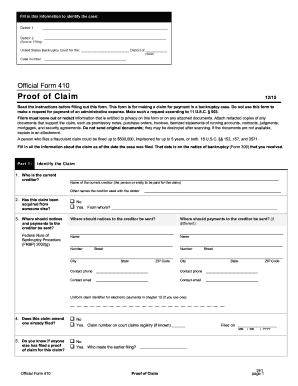
- In the first section, identify the case by providing the names of the debtors. Fill in the information for Debtor 1 and, if applicable, Debtor 2 (spouse) in the designated fields. Ensure to include the United States Bankruptcy Court district and case number.
- Move to Part 1: Identify the Claim. Fill in the name of the current creditor, any other names they used with the debtor, and indicate if the claim has been acquired from someone else. Specify where notices and payments to the creditor should be sent.
- In Part 2, provide information about the claim as of the filing date. State if you have a number to identify the debtor, the amount of the claim, and the basis of the claim. Ensure to disclose if the claim is secured, its value, and the amount necessary to cure any default.
- Continue to fill in details regarding the priority of the claim under 11 U.S.C. § 507(a), checking all applicable boxes and providing amounts entitled to priority.
- Finally, sign the form in Part 3. Check the appropriate box indicating your role, complete the date, and provide your signature. Fill in your printed name, title, company (if applicable), address, contact phone, and email.
- Once you have completed the form, save your changes. You can download, print, or share the filled form as needed.
Complete your documents online today to ensure your claim is processed efficiently.
Related links form
A Withdrawal of Claim must be signed by the filing party. The document must specify which claim is being withdrawn, using the Court claim number (this can be located in CM/ECF by going to Reports > Claims Register).