Loading
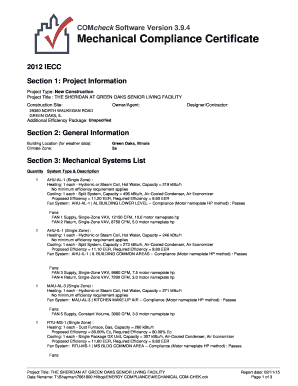
Get Comcheck Software Version 394 Mechanical Compliance
How it works
-

Open form follow the instructions
-

Easily sign the form with your finger
-

Send filled & signed form or save
How to fill out the COMcheck Software Version 394 Mechanical Compliance online
This guide provides comprehensive instructions for filling out the COMcheck Software Version 394 Mechanical Compliance form online. Designed to help users of varying experience levels, it breaks down each section and field to ensure clarity and ease of use.
Follow the steps to complete your COMcheck Mechanical Compliance form with confidence.
- Press the ‘Get Form’ button to obtain the form and open it in your online editor.
- Begin with Section 1: Project Information. Enter the project type, title, construction site, owner/agent details, and any applicable efficiency packages.
- Proceed to Section 2: General Information. Fill in the building location for weather data and specify the climate zone that applies to your project.
- In Section 3: Mechanical Systems List, accurately input all required details for each mechanical system included in your project such as the types, descriptions, heating/cooling capacities, and efficiency metrics.
- Review the Inspection Checklist. Ensure you comply with each requirement and provide necessary comments or assumptions in the designated columns.
- Check Sections for compliance such as mechanical rough-ins and inspections. Confirm all required elements are documented properly.
- After completing all sections, use the options available to save your changes, download the form, print it, or share it as needed.
Complete your documents online promptly and accurately using this guide.
Related links form
Release Notes What's new: COMcheck-Web June 16, 2022 release addresses the following: COMcheck Desktop Version 4.1.5.5 addresses the following: COMcheck Supported Codes -- both platforms: COMcheck Supported Codes -- COMcheck-Web only:
Industry-leading security and compliance
US Legal Forms protects your data by complying with industry-specific security standards.
-
In businnes since 199725+ years providing professional legal documents.
-
Accredited businessGuarantees that a business meets BBB accreditation standards in the US and Canada.
-
Secured by BraintreeValidated Level 1 PCI DSS compliant payment gateway that accepts most major credit and debit card brands from across the globe.