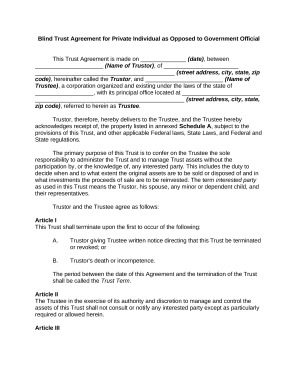
Blind Trust Agreement for Private Individual as Opposed to Government OfficialThis Trust Agreement is made on (date), between (Name of Trustor), of (street address, city, state, zip code), hereinafter.
Loading
Open form follow the instructions
Easily sign the form with your finger
Send filled & signed form or save
How to fill out the Blind Trust online
Creating a Blind Trust is an important step in managing your assets while maintaining privacy. This guide provides clear and concise instructions to help you fill out the Blind Trust Agreement online, ensuring a seamless experience for users of all legal backgrounds.
Follow the steps to successfully complete your Blind Trust Agreement.
- Click ‘Get Form’ button to obtain the Blind Trust Agreement document and open it in your preferred digital format.
- Enter the date on which the agreement is made in the provided space.
- Fill in the name of the Trustor (the person creating the trust) along with their address details including street address, city, state, and zip code.
- Input the name of the Trustee (the individual or corporation managing the Trust) and the state of incorporation along with their principal office address.
- Complete Schedule A by detailing the property being transferred into the Trust, ensuring all assets are included and correctly described.
- Review and agree to the terms regarding the administration of the Trust, including how the Trustee will manage the assets without informing any interested parties.
- Specify the conditions for termination of the Trust, including details for written notice, death, or incompetence of the Trustor.
- Complete any required articles regarding taxes, income reporting, and communication restrictions between the Trustor and Trustee.
- Fill in the designated amount that the Trustee will pay to the Trustor each month during the Trust Term.
- If applicable, input any additional powers or permissions granted to the Trustee as listed in the Agreement.
- Once all sections are completed, review the document for accuracy and completeness.
- Finally, save your changes, download, print, or share the completed form as necessary.
Start creating your Blind Trust online today to manage your assets effectively!
Experience a faster way to fill out and sign forms on the web. Access the most extensive library of templates available.
Related content
blind trust as a way to avoid potential conflicts of interest. This booklet ... assets in...
Blind trusts are used in situations where the beneficiary is to be kept unaware of the...
Un fideicomiso ciego es un fideicomiso en el que los beneficiarios del fideicomiso no...
Get answers to your most pressing questions about US Legal Forms API.
What's the difference between a trust and a blind trust?
The key difference between a blind trust and other types of living trusts is that neither the trustor nor his or her beneficiaries have the authority to manage any aspect of the trust or the assets held in it after the blind trust has been finalized.
What is the difference between trust and blind trust?
In a blind trust, an individual places assets that could otherwise create conflicts of interest into an asset vehicle ("trust"). Control over the trust and its assets are given to an independent trustee, who may buy and sell assets without the knowledge or consent of the beneficiary ("blind").
What is the benefit of a blind trust?
Blind trusts create a layer of separation between the grantor's assets and professional or political activities that helps to eliminate real or perceived conflicts of interest and accusations of wrongdoing. Individuals who receive a windfall can also use them to maintain financial privacy.
What are the advantages of a blind trust?
Blind trusts create a layer of separation between the grantor's assets and professional or political activities that helps to eliminate real or perceived conflicts of interest and accusations of wrongdoing. Individuals who receive a windfall can also use them to maintain financial privacy.
What are the pros and cons of a blind trust?
Some advantages include that they can help avoid conflicts of interest and prevent family members from being unduly influenced by the grantor's wealth. Some disadvantages include that the grantor may need more control over the assets, and the trustee may make decisions that the grantor disagrees with.
What are the 3 types of trust?
To help you get started on understanding the options available, here's an overview the three primary classes of trusts. Revocable Trusts. Irrevocable Trusts. Testamentary Trusts.
Can you withdraw money from a blind trust?
Yes, you could withdraw money from your own trust if you're the trustee. Since you have an interest in the trust and its assets, you could withdraw money as you see fit or as needed. You can also move assets in or out of the trust.
What are the 4 types of trust?
The four main types are living, testamentary, revocable and irrevocable trusts. However, there are further subcategories with a range of terms and potential benefits.
Use professional pre-built templates to fill in and sign documents online faster. Get access to thousands of forms.
If you believe that this page should be taken down, please follow our DMCA take down process here.